3. Remove the output table and open the output-side door.
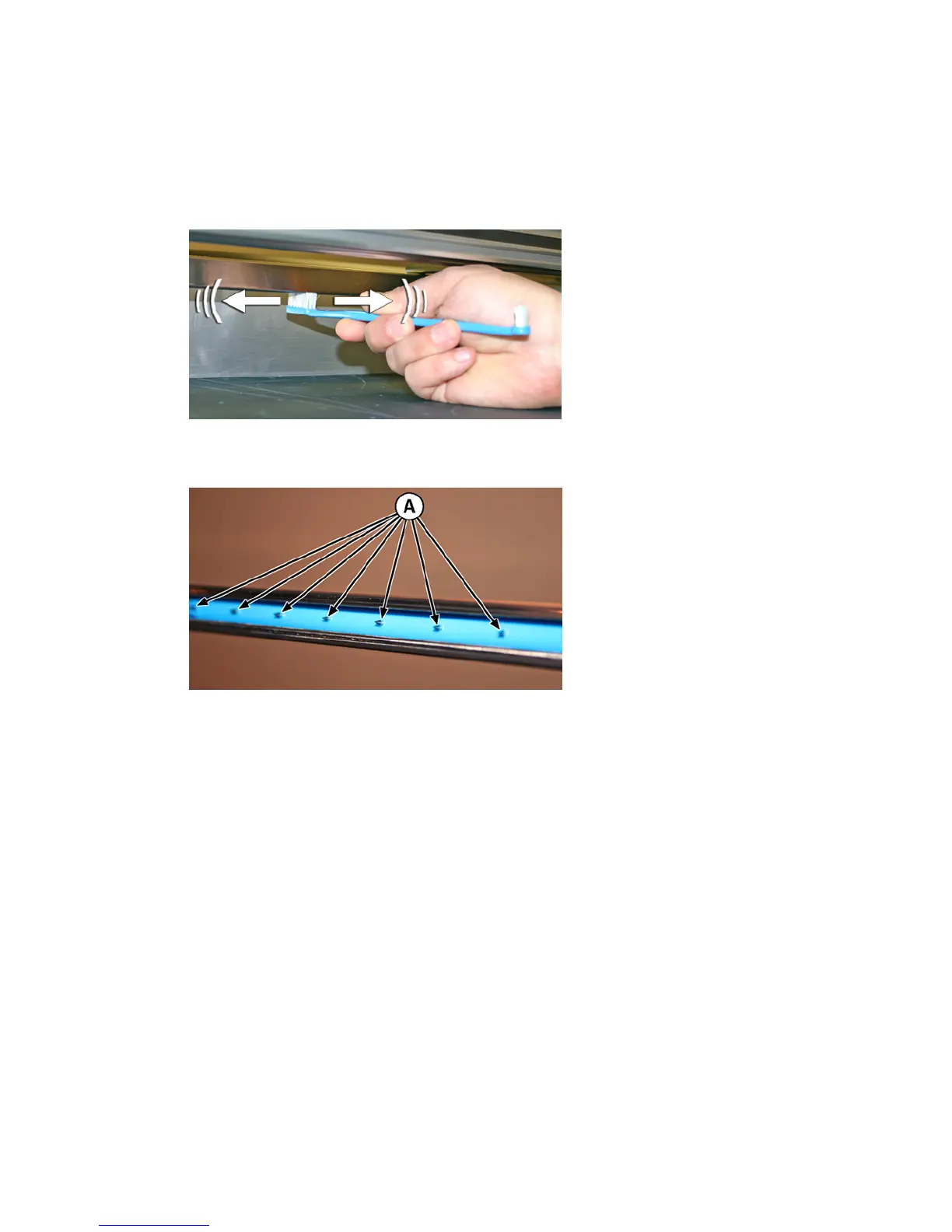
4. Using the brush supplied with the printer (shown in the photo below), clean the ionizer needles beneath
the ionizer bar.
The ionizer bar is between the input roller and the alignment bar on the input side of the printer.
Figure 10-22 Cleaning ionizer needles with the supplied brush
The needles (A in the photo below) run the length of the ionizer bar.
Figure 10-23 Ionizer needles
5. To reset the maintenance counter for this task and complete the procedure, press Proceed.
Drain waste ink container
CMYKcm – 40 Hours
CMYKW – 20 Hours
Waste ink accumulates in the service station until drained. Depending on printer use and ink service
frequency, the service station may need to be drained more often, a Warning or Action in the Attention Queue
alerts you when necessary. Dispose of the collected ink according to local regulations.
1. Place the waste ink container (included with the printer) beneath the waste ink spigot, under the media
drive belt at the service-end of the printer.
2. Select from the control panel System> Tools> User Cleaning and Maintenance> 13) Drain Waste Ink
Container.
3. Press Proceed to continue.
92
Chapter 10 User cleaning ENWW



 To Next Page