●
Paper out sensor
●
Software and product documentation provided on the HP Point of Sale System Software and
Documentation disc
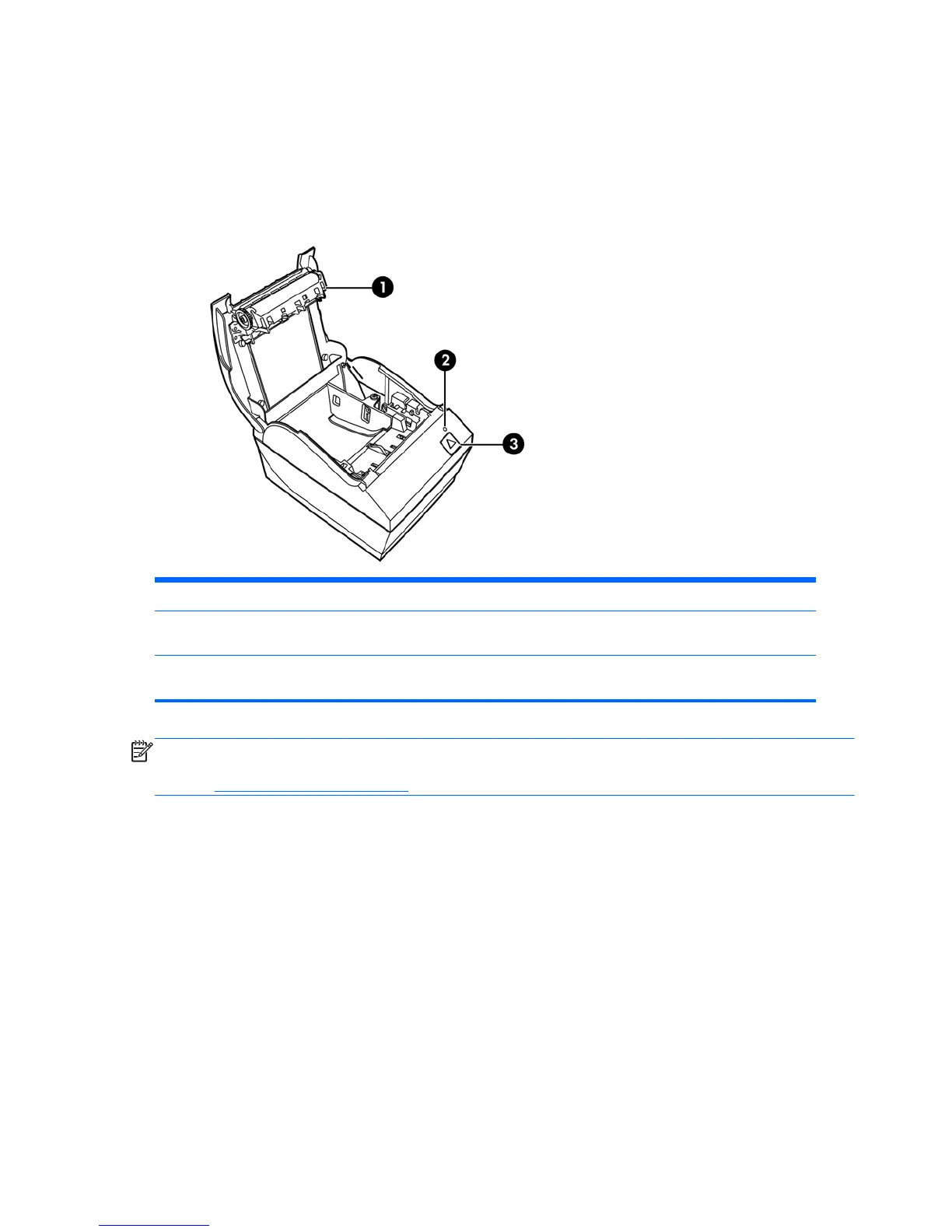
Identifying User Controls
1 Receipt cover - Snap opens to easily drop the paper roll in place.
2 Status LED - the green LED indicates basic information about the printer status. A steady green light indicates
the printer is on and operating normally. A flashing LED indicates the printer needs operator assistance.
3 Paper feed button - during normal use the paper feed button advances the paper. It is also used to access the
configuration menu.
NOTE: A single beep indicates the printer has successfully completed its startup routine. It should
beep after being powered up or reset. If the printer beeps twice, it may be experiencing a problem.
Refer to Troubleshooting on page 16 in this guide for more information.
2 Chapter 1 Product Features



 To Next Page