116 Chapter 8 : Contacts, Calendar, and other personal information
Remove a contact from favorites
1 Open Contacts .
2 Ta p Favorites.
3 Tap a contact and tap .
Assign a speed dial to a contact
You can assign a speed dial to any contact phone number. You can assign up
to 23 speed dials.
NOTE You cannot assign 1 (the E key) as a speed dial. The number 1 is reserved
for dialing your voicemail system. The # (B) and * (Z) keys are also unavailable.
1 Open Contacts .
2 Search for a contact (see Find a contact), and tap the contact name.
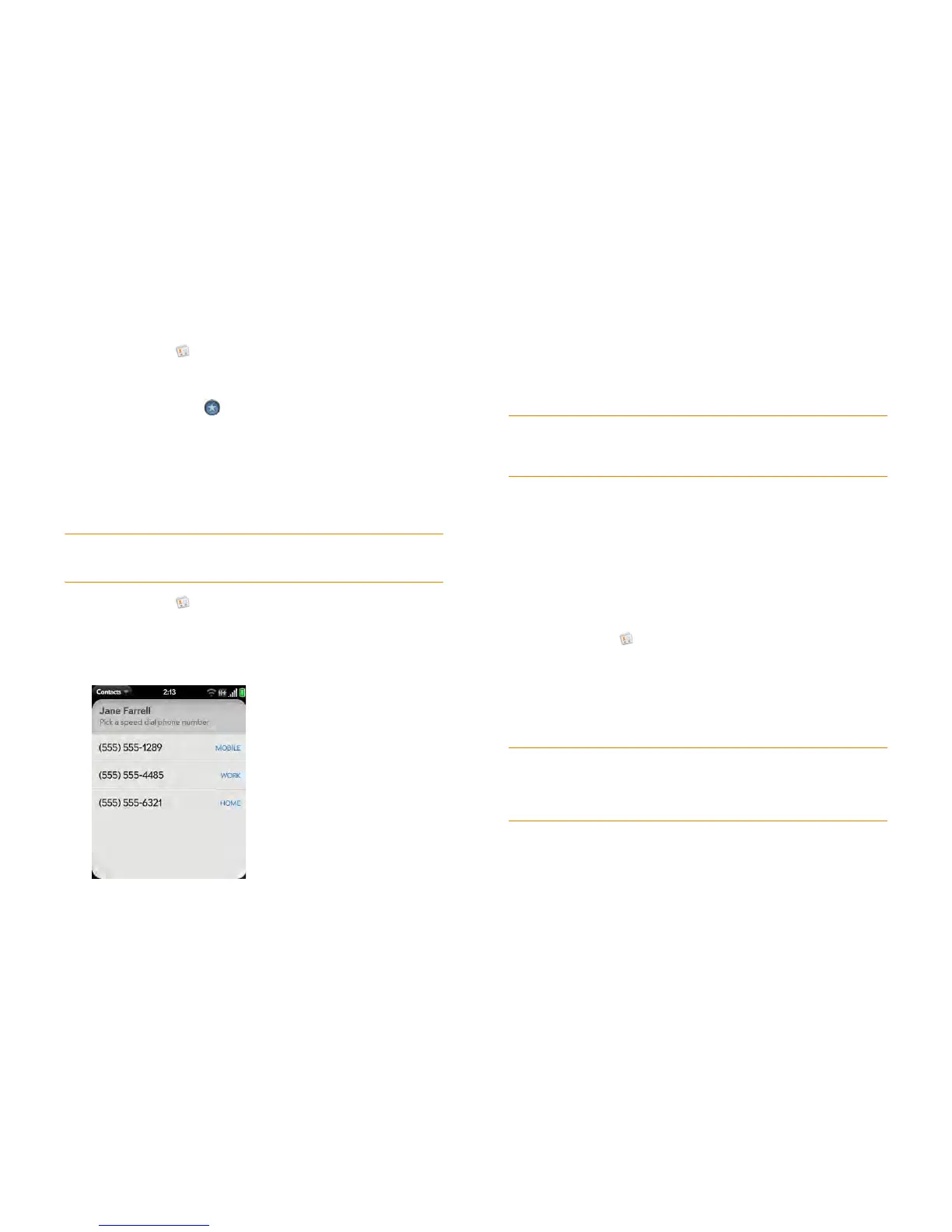
3 Open the application menu and tap Set Speed Dial.
4 Tap the phone number you want to assign a speed dial to, and then do
one of the following:
• To assign a speed dial: Tap the key to use as a speed dial.
• To reassign a speed dial to the selected number: Tap the assigned
speed dial and then tap Reassign To [Name].
Assign a reminder message to a contact
If you have an important message or a question for a contact, you can enter
a reminder right on your smartphone. The next time you and the contact
are in touch—whether by phone call, email, or text message/IM—a
notification appears showing the contact name and a message bubble. Tap
the bubble to view the reminder.
1 Open Contacts .
2 Search for a contact (see Find a contact), and tap the contact name.
3 Open the application menu and tap Add Contact Reminder.
4 Enter the reminder, and make the back gesture to save it.
TIP To remove a speed dial from a number, open the contact, open the
application menu, and tap Set Speed Dial. Tap the number and tap Remove
Speed Dial [key letter].
TIP When you create a reminder message for a contact, unless you remove it, it
pops up every time you make contact with that person. To remove a reminder
message, open the application menu, and tap Add Contact Reminder. Tap the
trash icon.



 To Next Page