HP Webcam HD User Guide 3
Installation
To install webcam software on your computer:
1 Insert the HP Webcam Control Center disc in your optical drive. The Installation Wizard
loads, and the Welcome screen displays.
2 Click Next to continue.
3 Read the End User License Agreement. If you accept, choose I accept the terms in the
license agreement, and then click Next to continue.
4 You may specify the location of the software installation or click Next to install the software
in the suggested folder.
5 Click Install to begin installation.
6 Click Finish after installation is complete.
Using HP Webcam Control Center
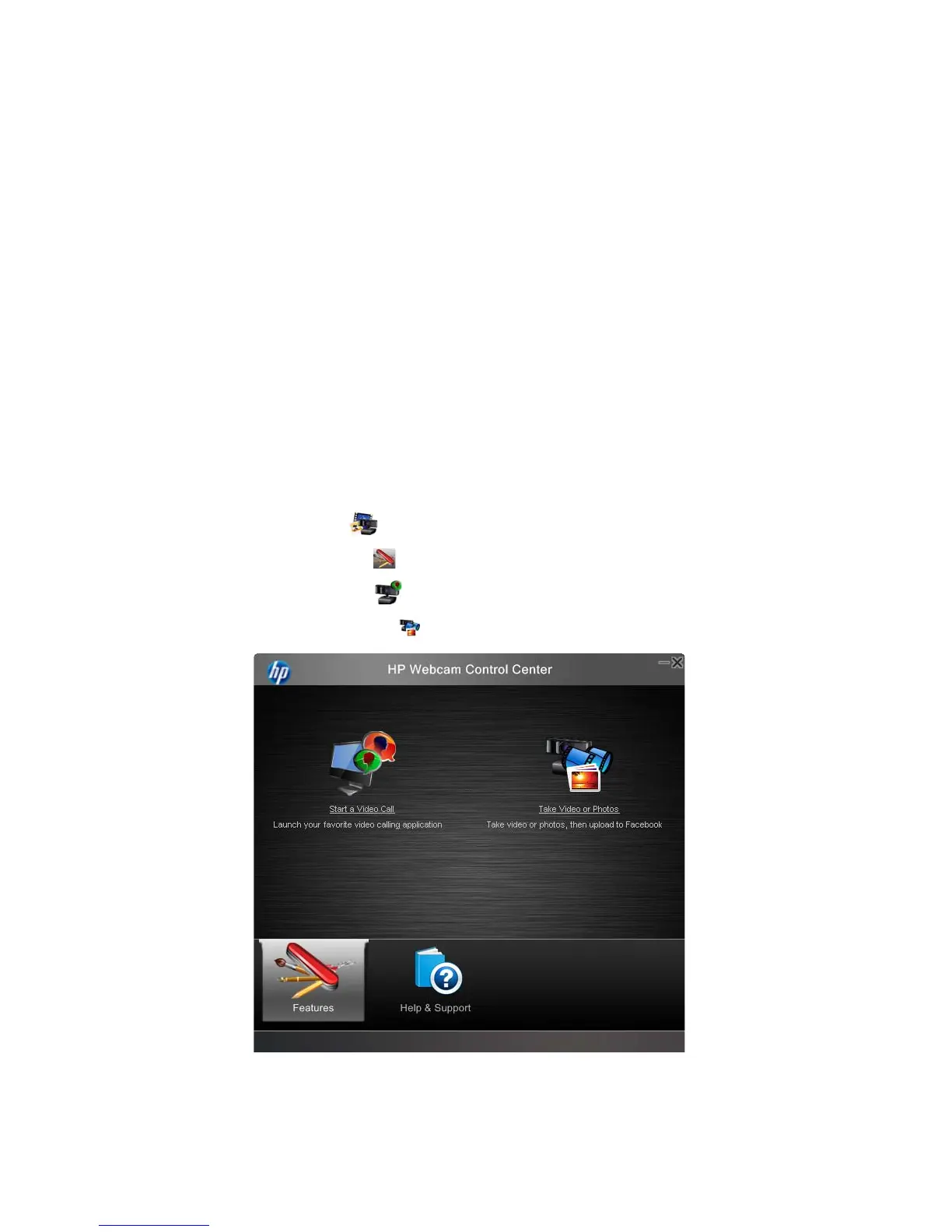
You can access all of the software utilities included with your HP Webcam through HP Webcam
Control Center , accessible from your desktop.
Click the Features icon to access webcam utilities.
Start a Video Call – launch video call programs.
Take Video or Photos – take videos or still photos.



 To Next Page