E
Countdown Mode
Countdown Mode lets you set up a delayed ON or
OFF switching. It’s a bit like a kitchen timer, except
instead of an alarm ringing when the clock reaches
zero, the timer switches power ON or OFF.
(i) Before setting the Countdown time choose
whether you want to turn power ON or OFF
after the time has elapsed:
• Delayed switch OFF: use the UP button to
switch the timer to ON or AUTO ON for a
delayed switch OFF
• Delayed switch ON: use the UP button to
switch the timer to OFF or AUTO OFF for a
delayed switch ON
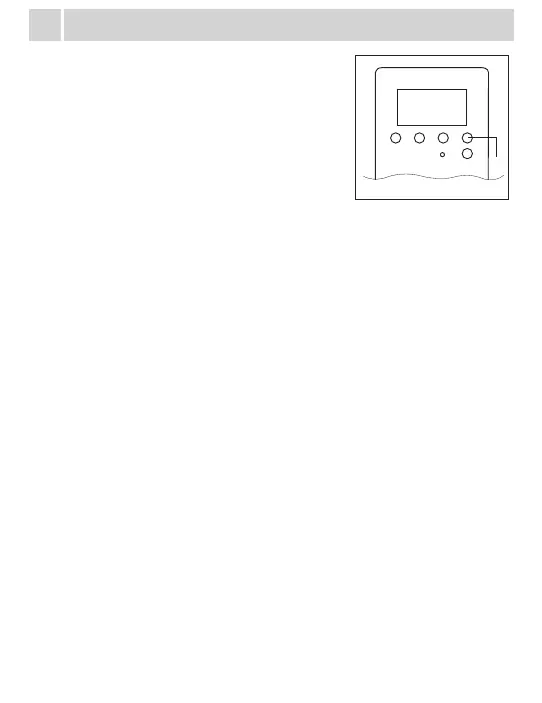
(ii) Press MENU twice to scroll to Countdown Mode.
The letters CTD will show on the display above the
The Random Feature will delay the preset ON and
OFF times of your set programs by between 4 and
32 minutes. This means you can set one program
to repeat every day but the switching pattern will
vary a little from day to day. This feature is ideal
to use with lamps when you go on holidays as the
switching pattern is not predictable.
To turn on the Random Feature, in Clock Mode,
10:59
25
WE
ON
ON
+1h
MENU
MENU
OK
UP
UP
RND
DOWN
10:59
25
WE
AUTO
OFF
+1h
0:00
00
OTD
+1h
DOWN
seconds.
(iii) The display shows 0:00:00 and the hour position will ash. Use the UP
and DOWN buttons to set the hour (0- 99). Press OK – the minutes
position will ash.
(iv) Use the UP and DOWN buttons to set the minute (0-59). Press OK – the
seconds position will ash.
(v) Use the UP and DOWN buttons to set the seconds (0-59). Press OK.
(vi) The timer will start to count down straight away and the letters CTD will
ash. After 2 minutes the display will return to Clock Mode. Countdown
Mode overrides the programmed settings and Random Feature.
(vii) To cancel the Countdown scroll to the Countdown Mode display and
press RCL. Hint! Pressing the RCL button in Clock Mode will adjust
between Standard and Daylight Savings Times – you must return to the
Countdown Mode display to cancel the Countdown.
D
Random Feature
press the DOWN button once. The letters RND will show on the display.
To turn o the Random Feature, press the DOWN button again.
F
Deleting Programs
G
Troubleshooting
Timer not turning o – if only using one program, check the programs are set
correctly- also ensure there is no program in program 2on – if no program is set
it should show --:-- a time of 0:00 means program 2on is set for on at midnight
and may interfere with other programs at this time.
Timer not turning on – ensure item connected to timer is turned on and
powerpoint switch is turned on. To rule out compatibility/connection problems,
on the clock screen, press up to cylce through the modes, when ‘on’ is selected
the connected device should turn on – if it doesnt it may not be compatible.
Unit turning on and o later than program (between 4 and 32 minutes later than
time set) – ensure random function isnt on - ‘rnd’ will be above the seconds on
the clock screen if this function is turned on. Press the down button to turn this
o or on.
Note: timer must be in auto on or auto o for the timer to run – change by
pressing up on the clock screen
Step 1: – To delete ALL pre-programmed settings, press the RESET button.
The clock will need to be reset.
– To delete an individual timer setting, re-programme the required
block so the start and nish times are the same
OR
Step 2: – Scroll to the block you wish to delete and press the MODE button.
The display will change to --:--.
To retrieve the setting press the MODE button again.
C
Activate the Timer and Timer Override
To have the timer automatically operate your
device the word AUTO must be displayed when in
Clock Mode.
Press the UP button to scroll through 4 options:
- ON: power is available to your device at all times.
This is the same as leaving your device plugged
in at the wall.
10:59
25
WE
ON
+1h
MENU
UP
10:59
25
WE
AUTO
ON
+1h
UP
10:59
25
WE
OFF
+1h
UP
10:59
25
WE
AUTO
OFF
+1h
UP
- AUTO ON: power is
available to your device
until the next OFF
switching time. In the
example in (xii), a lamp
plugged into the timer
will remain ON until
7:05 pm
- OFF: power will not
be available to the
device plugged into
the timer. This is the
same as turning o
the power point. NB:
This is a convenience
setting. For safety
HPM recommends
unplugging the timer
from the wall and
using the device’s OFF
switch when performing
maintenance tasks like
replacing a globe.
- AUTO OFF: power will
not be available until
the next ON switching
time. In the example in
(vii) a lamp will remain
OFF until 5:15pm


 To Next Page
 Loading...