EasyManua.ls Logo

HQ HQ-INV2500/12 - User Manual

HQ HQ-INV2500/12
9 pages
Print Icon
To Next Page IconTo Next Page
Loading...
HQ-INV2500/12
HQ-INV2500/12F
HQ-INV2500/24
HQ-INV2500/24F
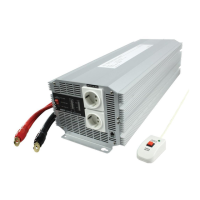
12V DC to 230V AC Soft Start Power Inverter
24V DC to 230V AC Soft Start Power Inverter
2500 WATT
CONTINUOUS OUTPUT POWER
MANUAL
021895
ENGLISH

Questions and Answers

  • A
    Ashley WilliamsAug 12, 2025
    What to do if HQ HQ-INV2500/12 Inverter has no voltage output and OVER LOAD indicator light?
    • G
      grobinsonAug 13, 2025
      If your HQ Inverter shows no voltage output and the OVER LOAD indicator is lit, it could be due to a short circuit or wiring error. Check the AC wiring for any short circuits or incorrect polarity. Alternatively, a very high power load may be the cause, in which case you should remove or reduce the load.
  • D
    Dylan ThomasAug 16, 2025
    What to do if HQ HQ-INV2500/12 has no voltage output and POWER indicator no light?
    • B
      Brian AguilarAug 16, 2025
      If your HQ Inverter has no voltage output and the POWER indicator is not lit, several issues could be the cause: * The inverter might be switched off. In this case, turn the inverter on. * There might be no power reaching the inverter. Check the wiring to both the inverter and the battery. * An internal fuse may have blown. A qualified electrician should check and replace the fuse. * The DC polarity might be reversed. A qualified electrician should check and replace the fuse, ensuring the correct polarity is observed.
  • J
    Jasmine CannonAug 20, 2025
    Why does my HQ Inverter low battery alarm keep going off and the VOLTS indicator is below 10.5V?
    • K
      Kevin MurrayAug 20, 2025
      A constant low battery alarm and a VOLTS indicator reading below 10.5V (or 21V for 2500W/24V inverters) on your HQ Inverter can be attributed to: * Poor DC wiring: Ensure you are using the correct cable and that all connections are secure. * Poor battery condition: Consider changing the battery or using a new one.
  • T
    Timothy ChapmanAug 25, 2025
    What to do if HQ Inverter has no voltage output and VOLTS indicator in upper red zone?
    • J
      Jared RyanAug 25, 2025
      If your HQ Inverter shows no voltage output and the VOLTS indicator is in the upper red zone, it indicates a high voltage input. Ensure that the inverter is connected to a 12V battery (or a 24V battery for 2500W/24V inverters). Also, check the regulation of the charging system.
  • B
    burgessheatherAug 28, 2025
    What to do if HQ Inverter has low voltage output and AMPS indicator in red zone?
    • K
      Kristina HicksAug 28, 2025
      If your HQ Inverter is showing a low voltage output and the AMPS indicator is in the red zone, it is likely due to an overload. Reduce the load on the inverter.
  • J
    Jamie ZimmermanAug 31, 2025
    What to do if HQ Inverter has no voltage output, OVER TEMP indicator light and load in excess of 2500W?
    • C
      Candice HarveyAug 31, 2025
      If your HQ Inverter has no voltage output, the OVER TEMP indicator is lit, and the load exceeds 2500W (or 250 amperes current input, or 125A for 2500W/24V inverter), a thermal shutdown has likely occurred. Allow the inverter to cool down. If continuous operation is required, reduce the load.
  • S
    shannon27Sep 4, 2025
    What to do if HQ Inverter has no voltage output, OVER TEMP indicator light and load less than 2500W?
    • T
      Teresa ThomasSep 4, 2025
      If your HQ Inverter has no voltage output, the OVER TEMP indicator is lit, and the load is less than 2500W (or 250 amperes current input, or 125A for 2500W / 24V inverter), a thermal shutdown has likely occurred. Ensure that the ventilation openings in the inverter are not blocked and try to reduce the ambient temperature.
  • J
    Jerry WashingtonSep 8, 2025
    What to do if HQ Inverter has no voltage output and VOLTS indicator in lower red zone?
    • M
      monicajacksonSep 8, 2025
      If your HQ Inverter shows no voltage output and the VOLTS indicator is in the lower red zone, it indicates a low voltage input. Recharge the battery and check the connections and cable.

Summary

Product Specifications

Installation Guide

Input Panel and Connections

Details the input panel layout, fan, terminal connectors, and chassis ground lug for proper installation.

Operating the Power Inverter

Output Panel Overview

Explains the components and indicators on the inverter's output panel.

Control Switches and Indicators

Details the ON/OFF switch, remote control, and various operational indicators like power, voltage, and current.

Alarm and Protection Indicators

Describes indicators for over temperature, overload, and audible alarm conditions.

Troubleshooting Common Issues

Problem Diagnosis and Solutions

Provides solutions for common problems such as low voltage output, overload, and no power.

Battery and Wiring Issues

Addresses issues related to low battery alarms, poor DC wiring, and battery condition.

Important Cautions and Battery Usage

Appliance Compatibility

Warns against using specific rechargeable appliances that can damage the inverter.

Battery Type and Capacity

Recommends using deep cycle batteries for optimal performance and capacity.

Declaration of Conformity

HQ HQ-INV2500/12 Specifications

General IconGeneral
Input Voltage12V DC
Output Voltage230V AC
Continuous Power2500W
Peak Power5000W
Output WaveformPure Sine Wave
Frequency50Hz
Weight6.5 kg
ProtectionOverload, Over Temperature, Short Circuit
CoolingTemperature-controlled fan
Operating Temperature-10°C - 50°C
Storage Temperature-20°C to 70°C

Related product manuals