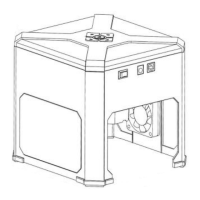
The WainLux JL4 is a laser engraver designed for hobbyists and small-scale projects, offering a user-friendly experience through a smartphone application. This device allows users to engrave various materials with custom text, images, and designs.
Function Description:
The WainLux JL4's primary function is laser engraving. It utilizes a 10W laser to etch designs onto a workpiece. The engraving process is controlled via a dedicated smartphone app, which handles design input, parameter settings, and the initiation of the engraving task. The device is designed for ease of assembly and quick setup, making it accessible to users with varying levels of technical expertise. It supports engraving of text, pictures, and graffiti, and allows for adjustments in carving settings such as size, laser power, carving speed, and the number of repetitions. The "Regional Targeting" feature helps users precisely position the laser on their workpiece before starting an engraving job.
Important Technical Specifications:
- Laser Power: 10W (as indicated by the "10w laser option" in the app settings).
- Control Interface: Smartphone application ("Engraver" app) via Bluetooth connectivity.
- Power Source: Two-piece power cord, requiring connection to a power outlet.
- Assembly: Involves attaching the gantry to the body, securing the laser with mounting hardware, and connecting Molex connectors.
- Safety Features: Requires the use of green laser safety glasses to protect eyes from laser light. The manual emphasizes adherence to all safety guidelines.
Usage Features:
- Easy Assembly: The manual provides clear steps for assembling the physical components, including attaching the gantry, securing the laser, and connecting electrical components.
- Smartphone App Control: The "Engraver" app is central to the device's operation.
- App Download: Available on app stores for various smartphone platforms.
- Bluetooth Connectivity: Users must enable Bluetooth on their smartphone and connect to the engraver through the app.
- Design Input: Users can input text, select pictures, or create graffiti within the app. The "Text" button leads to an "Edit Text" screen where users can type messages and choose fonts.
- Carving Settings: The app allows for detailed control over engraving parameters:
- Fill Type: Choice between solid fill or skeleton engraving.
- Size: Adjustable width and height of the engraving, with a locking ratio option.
- Material Selection: Users can specify the material being engraved.
- Laser Power: Adjustable setting for the 10W laser.
- Carving Speed: Control over the speed of the engraving process.
- Repetitions: Ability to set the number of times the engraving process is repeated.
- Positioning: The "Regional Targeting" button moves the laser to display the engraving area, allowing users to precisely position the laser on the workpiece.
- Engraving Initiation: Once settings are finalized and the laser is positioned, users can start the engraving process from the app, which transfers data to the laser.
- Pause/Stop Functionality: The app includes buttons to pause or stop an ongoing engraving process.
- "Homing" Function: Upon power-up, the unit is expected to "home" and hit two limit switches, indicating readiness.
- Experimentation Encouraged: The manual stresses that there are "no 'set in stone' settings for engraving" and recommends experimenting with scrap material to find optimal settings for different materials and desired effects. Users are encouraged to create "cut boards" with various laser power and speed combinations for future reference.
Maintenance Features:
The provided manual does not explicitly detail maintenance features. However, general best practices for laser engravers would include:
- Cleaning: Regularly cleaning the laser lens and the engraving area to ensure optimal performance and prevent debris buildup.
- Component Inspection: Periodically checking all physical connections and moving parts for wear or damage.
- Software Updates: Keeping the smartphone application updated to the latest version for new features, bug fixes, and improved compatibility.
- Safety Gear Care: Ensuring that safety glasses are clean and in good condition.
In summary, the WainLux JL4 is a compact and app-driven laser engraver designed for ease of use and versatility in personal engraving projects. Its 10W laser, intuitive smartphone interface, and adjustable settings make it suitable for a range of creative applications, with a strong emphasis on user safety through the mandatory use of protective eyewear.

 Need help?

 To Next Page
 General