Phone Basics 27
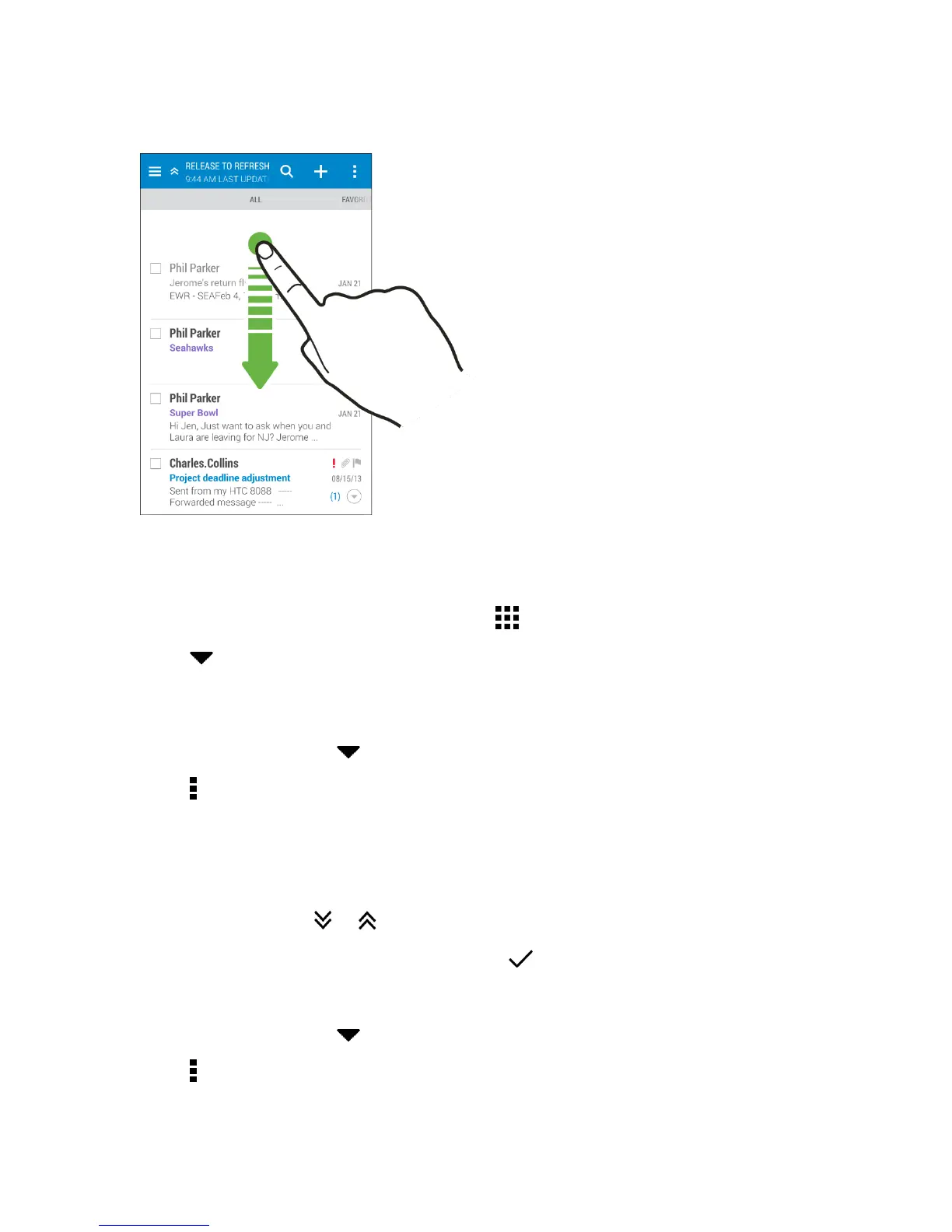
2. Pulldownthescreenwithyourfinger,andthenreleasetorefresh.
Arrange Apps on the Apps Screen
PersonalizetheAppsscreentoyourliking.Youcanrearrangetheappsandchangethelayout.
1.
FromHTCBlinkFeedoranywidgetpanel,touch .
2. Touch andthenchoosehowtoarrangeapps,suchasalphabetically.Ifyouwanttogroup
appsintofoldersorrearrangethem,selectCustom.
Move Apps and Folders
1. OntheAppsscreen,touch >Custom.
2.
Touch >Rearrange apps.
3. Touchandholdanapporfolder,andthendooneofthefollowing:
l Dragtheapptoanotherpositiononthesamepage.Waituntilyouseetheoccupyingicon
moveawaybeforereleasingyourfinger.
l
Dragtheapptothe or arrowtomoveittoanotherpage.
4.
Whenyou’redonemovingappsandfolders,touch .
Group Apps into Folders
1. OntheAppsscreen,touch >Custom.
2.
Touch >Rearrange apps.
3. Touchandholdanapp,andthendragitovertoanotherapptoautomaticallycreateafolder.


 To Next Page