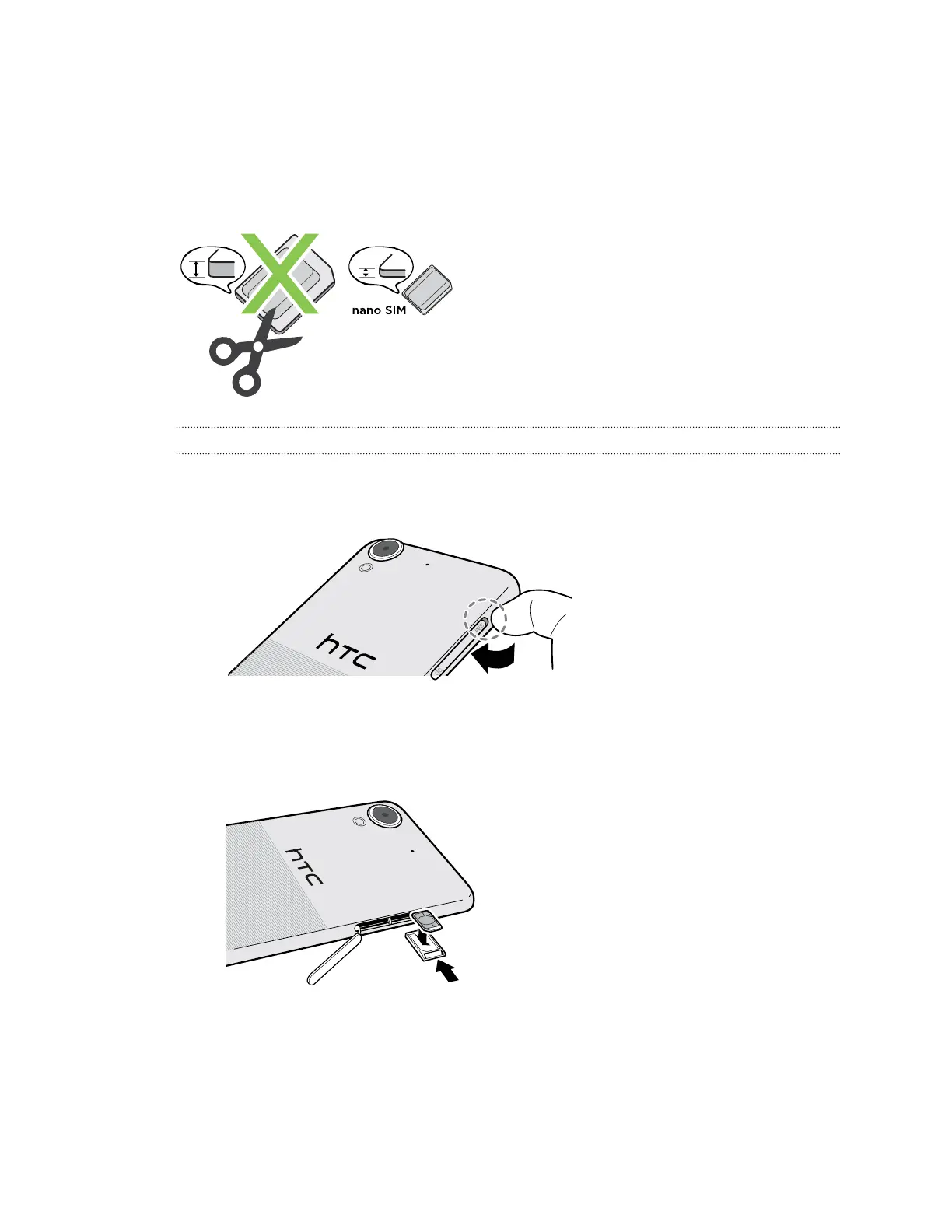
nano SIM card
HTC Desire 650 uses a nano SIM card.
Use a standard nano SIM card only. Inserting a modified card that is thicker than the standard
nano SIM card may cause the card to not fit properly or damage the card slot.
Inserting a nano SIM card
1. Make sure HTC Desire 650 is off and hold it securely with the front facing down.
2. Open the slot cover with your thumb or finger.
3. Pull the tray out from the nano SIM slot.
4. Place a nano SIM card into the tray with the card's gold contacts facing up and its cut-off
corner facing out.
5. When reinserting the tray, make sure it is facing up so that the nano SIM card doesn’t fall out.
Slide the tray all the way into the slot.
6. Close the slot cover. Press from the bottom to the top of the slot cover to lock it in place.
15 Unboxing



 To Next Page