Unlocking the screen
Swipe up to unlock the screen.
If you've set up a screen lock, you'll be asked to provide your credentials before HTC Desire 650
unlocks.
If you've set an event reminder or an alarm, you can snooze or dismiss the event or alarm right
from the lock screen. Just drag or up.
Motion gestures
Use motion gestures to mute HTC Desire 650, lower the ring volume, and more.
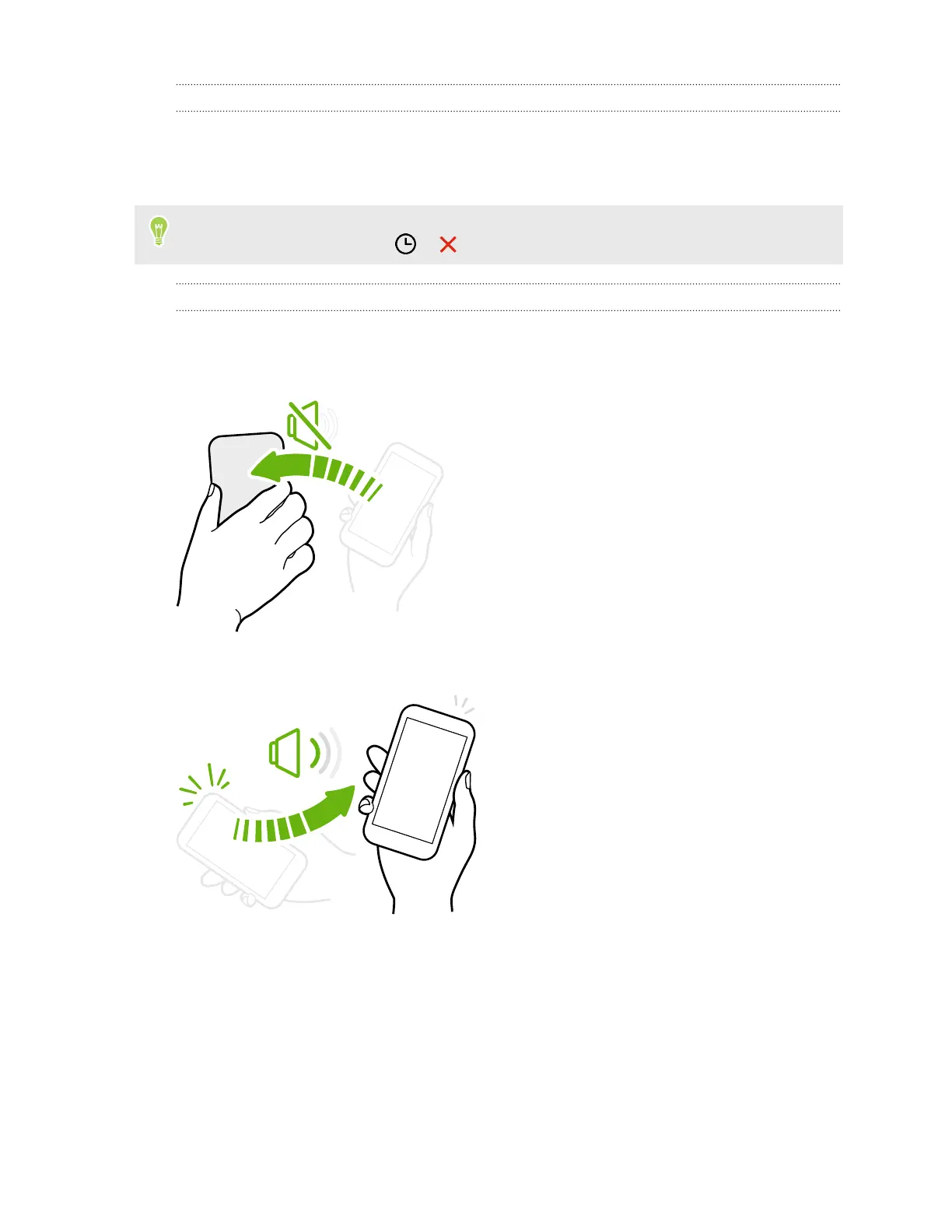
Flip to mute
If your phone is facing up when a call comes in, turn
the phone over to mute it.
Pick up to lower volume
In a business meeting or restaurant, pick
HTC Desire 650 up when a call comes in to
lower the ring volume automatically.
You can turn this feature on or off. Go to
Settings, tap Sound & notification, and then
select or clear Quiet ring on pickup.
30 Your first week with your new phone



 To Next Page