T-Mobile G1 User Guide R1.0 44 September 8, 2008
Read email
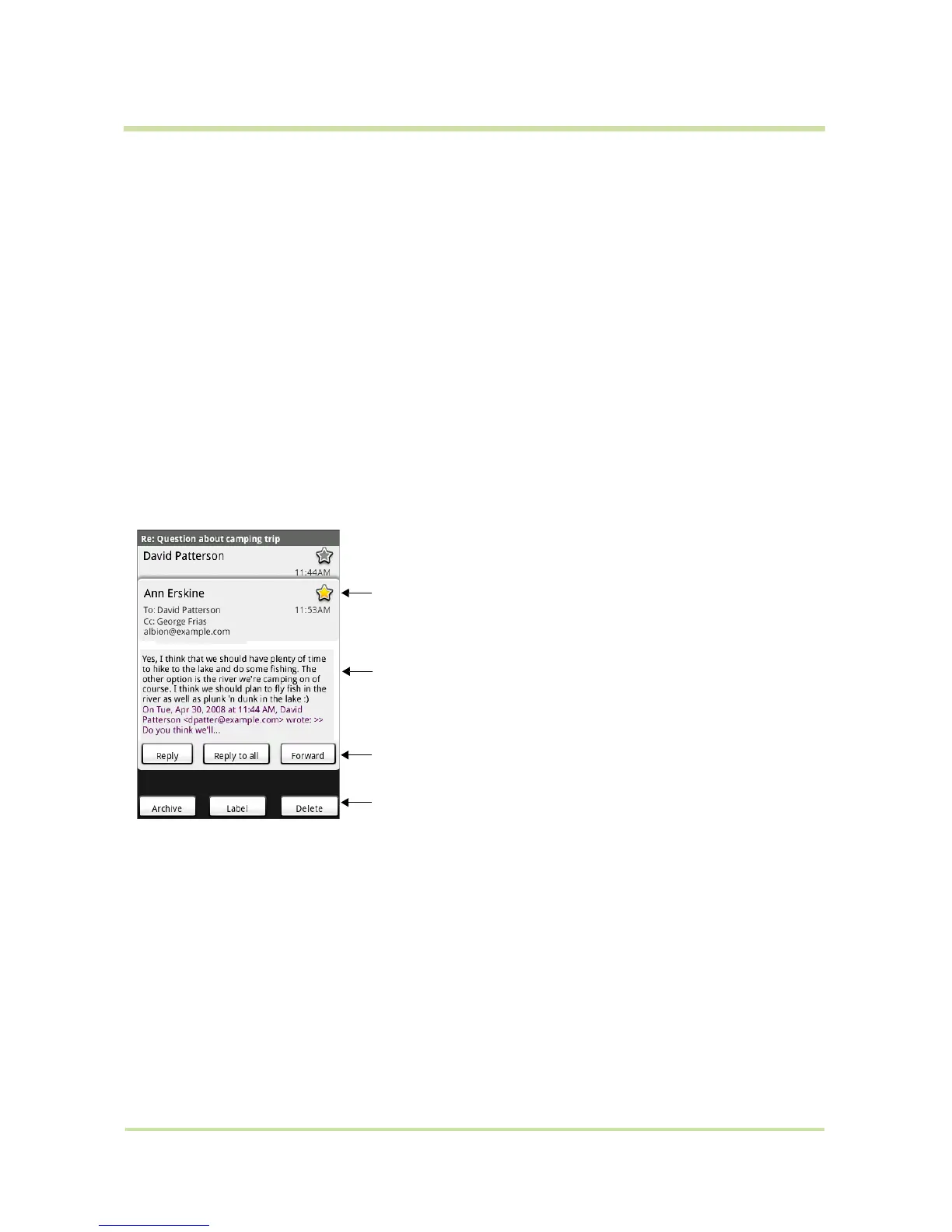
When you open a conversation for reading, the subject will appear in a box at the top of the screen
and the latest message will appear at the bottom of the conversation.
Select labels to sync You can select to synchronize specific labels:
1 From a conversation list, press MENU and select Settings.
2 Select
Labels.
3 All your labels appear in a list. Select the labels you want
synchronized on a regular basis. Read more in “Select labels to
synchronize” on page 46.
Refresh
1 From a conversation list, press
MENU and select Settings.
2 Select
Refresh.
3 Your email is synchronized per settings. Read more in “Select labels to
synchronize” on page 46.
You can star individual
messages in a conversation
Actions you can take on the
message
Actions you can take on the
entire conversation
Latest message in conversation



 To Next Page