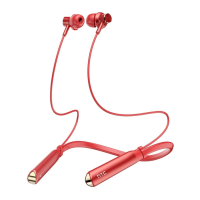
HTC True Wireless Headset Basic
Quick Start Guide
Model: HTC HS01
What’s in the box
Headset x1
Quick Start Guide x1
USB cable x1
Rubber tips x2(Large, Small)
Warranty card x1
Things to keep in mind with HTC True Wireless Headset Basic
HTC True Wireless Headset Basic should not be used in extreme
temperatures.
Make sure to use a 5 volt charger and charge the batteries before use.
Pairing HTC True Wireless Headset Basic with your phone
1. Power on HTC True Wireless Headset Basic first, and then to find
Bluetooth settings on your cellphone, make sure Bluetooth is turned ON,
and to pair with " HTC HS01 ". Consult your phone user guide for details.
Tip:
2. Once paired, Headset will automatically connect when it will be powered
on next time.


 To Next Page

 General