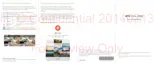
8. Press to save the note.
Inserting images and illustrations in a note
While composing a note, you can:
§ Tap to take a photo, or tap > Insert to select an image from
Gallery.
§ Tap to draw, or tap to write text. You can change the pen
characteristics.
§ Tap to insert a sticker.
§ To insert a web page thumbnail, tap > Web content. On the
Chrome app, go to the web page, and then tap > Share > Scribble.
270 Other apps



 To Next Page