3. Tap Advanced settings.
4. Tap Factory reset.
5. Choose if you also want to erase your media files on the microSD
card inserted in your RE.
If you choose to erase the files on your storage card, this action
cannot be undone.
6. Tap Reset or Factory Reset.
Using the Reset button
If you're experiencing a device issue or you've forgotten the password
you've set on the RE app, you can factory reset your RE using its hardware
Reset button.
This action removes all data and settings you have for your RE
camera and the RE app installed on your phone. Photos and
videos stored on your microSD card will not be deleted.
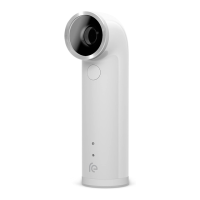
1. Hold your RE with the lens facing up.
50 Reset


 To Next Page