52 Using Phone Features
Call functions
When the Phone is dialing or when a call is already in progress, call functions are
available on screen.
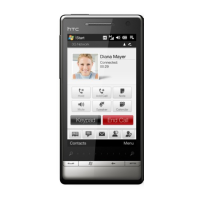
Call in progress screen
Note When the Phone is dialing, only the Speaker, Mute, Note, Contacts, and End Call
buttons can be used. Other buttons are disabled.
To put a call on hold
Your device notifies you when you have another incoming call, and gives you the
option of rejecting or accepting the call. If you are already on a call and accept the
new call, you can choose to switch between the two callers, or set up a conference
call between all three parties.
1. Press TALK/SEND button to take the second call, and put the first one on hold.
2. To end the second call and return to the first call, tap End Call or press END
on your device.
To switch between two calls
During a call, tap .



 To Next Page