3
Installing the WGW-SL1 GATEWAY
Getting Started:
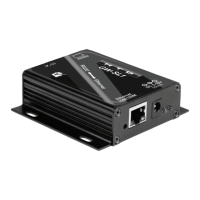
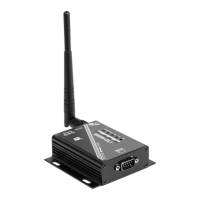
Remove the WGW-SL1 from the box and attach the antenna and power adapter. 1.
Connect the RS232 Serial Cable to the back of the HTD Whole-House Audio Controller (MC-66, MCA-66, Lync6, 2.
or Lync12) (where it is labeled “RS232 INTERFACE”), and to the WGW-SL1 unit.
Plug the Power Supply that came with your WGW-SL1 into an available 120 VAC electrical outlet.3.
View available wireless networks on a computer or smart device (See Image 1).4.
Connect to WGW-SL1 from the list of available networks. Make sure any options to connect to this device auto-5.
matically are NOT selected. (See Image 2)
Open a browser and type 6. 10.10.100.254 and press Enter.
A popup will appear. Enter 7. admin for the username and admin for the password, then click OK. (See Image 3)
(Make sure that both entries of “admin” are lowercase.)
Entering the above username and password correctly will take you to the conguration page for the WGW-SL1. 8.
Select STA Mode and click Apply. (See Image 4)
Image 1
Image 2
Image 4
Image 3


 To Next Page