Need help?
Do you have a question about the HTS VRS N50 and is the answer not in the manual?
Details the FCC rules and conditions for Class B digital devices to prevent harmful interference.
Declares compliance with EMC and General Product Safety Directives for the unit.
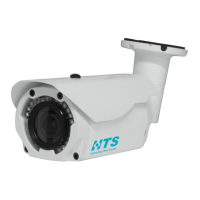
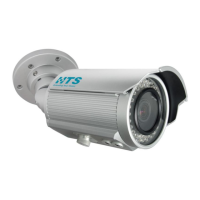
Details the physical dimensions, components, and pictorial index of the camera unit.
Lists all items included in the packing box for the camera unit.
Lists the recommended tools required for the installation process.
Instructs to check for any visible damage to the unit and accessories upon unboxing.
Provides instructions and diagrams for mounting the camera to a ceiling or wall.
Details the process for mounting the camera unit onto a pole using specific adapters.
Explains how to connect power and signal cables to the camera unit.
Guides users on how to adjust the camera's angle and position after mounting.
Explains how to adjust zoom/focus and use the default/reset button.
Provides instructions for adjusting the sun shield hood for optimal sunshade.
Illustrates different network connection topologies for the imaging units.
Lists the minimum hardware and software requirements for operating the N50 imaging unit.
States the default IP address and subnet mask for the N50 imaging unit.
Explains how to use the IP configurator utility from the Lane Controller.
Guides on how to download and install the IP configurator utility from the HTS website.
Provides steps to configure and assign a new IP address to the imaging unit.
 General
| Power Supply | 12V DC |
|---|---|
| Resolution | 1920x1080 (Full HD) |
| Lens | 2.8mm |
| Night Vision | Up to 30m (98ft) |
| Weather Resistance | IP66 |
| Storage | MicroSD card (up to 128GB) |

 To Next Page