Connecting Cables
7
Installing a PGND Cable
Installing DC Power Cables
Check the fuse capacity of the external power supply.
Device Model Recommended Fuse Capacity
ATN 980C
NetEngine 8000 M8
PTN 6900-2-M8C
OptiX PTN980/980B
320G/360G or lower: ≥ 16 A (For long-term evolution
purposes, if permitted, it is recommended that the fuse
capacity be greater than or equal to 40 A.)
≥ 32 A (For long-term evolution purposes, if permitted,
it is recommended that the fuse capacity be greater
than or equal to 40 A.)
≥ 16 A (For long-term evolution purposes, if permitted,
it is recommended that the fuse capacity be greater
than or equal to 40 A.)
Device Model Maximum Cable Size
ATN 980C
NetEngine 8000 M8
PTN 6900-2-M8C
OptiX PTN 980/ 980B
6 mm² (0 m to 13 m) or 10 mm² (14 m to 22 m)
10 mm² (0 m to 20 m)
6 mm² (0 m to 13 m)
TO:
X-XXX-X-X
M8
M6
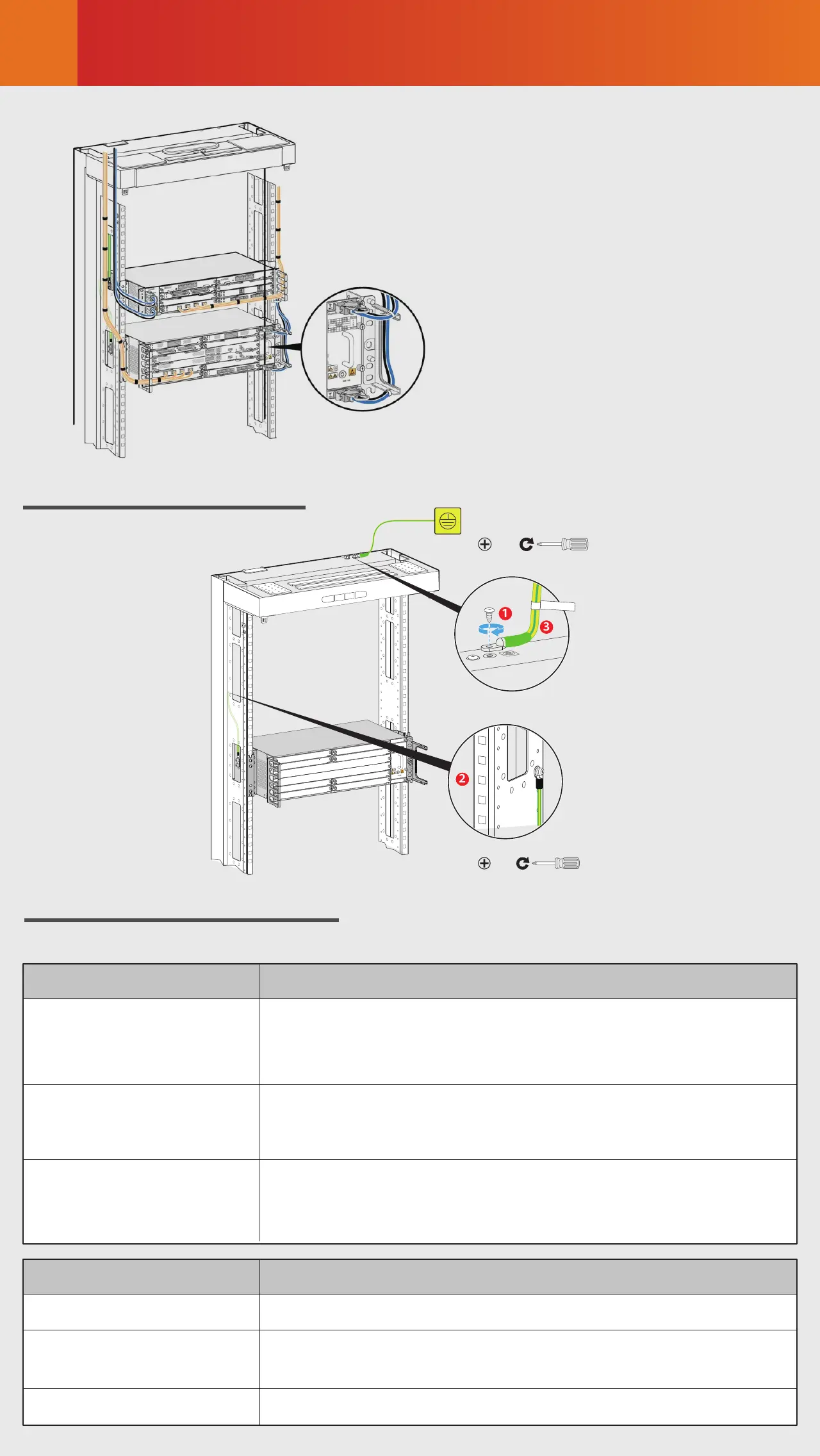
Cable layout in a scenario where
a 3U device shares the same
cabinet with other devices





 To Next Page