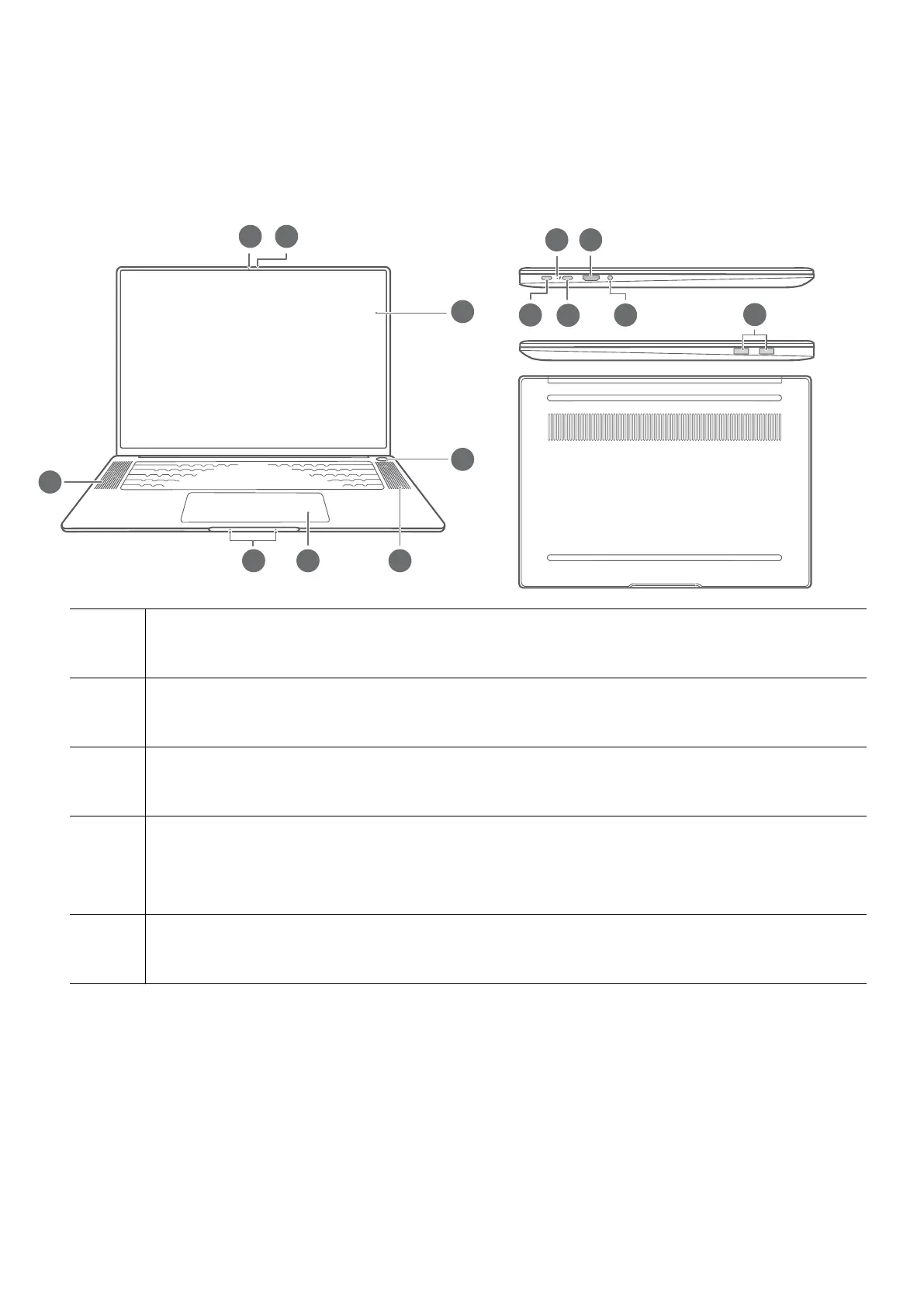
Get to know your computer
Appearance
1 Camera
Can be used to take photos or make video chats.
2 Camera indicator
Indicates the camera's status. Lights up steady white when the camera is active.
3 Display
Displays the computer desktop.
4 Fingerprint power button
After enrolling a ngerprint, simply press the power button with the enrolled nger
to power on and unlock the computer without having to enter a password.
5 Speaker
The speakers output sound.
1









 To Next Page