Need help?
Do you have a question about the Huawei ATU-L22 and is the answer not in the manual?
Explains dual SIM card functionality and configuration for single pass devices.
Information on proper disposal and recycling of the device and accessories according to local regulations.
Compliance with regulations on hazardous substances in electrical and electronic equipment.
Details on regulatory compliance for the European Union market, including RF specifications.
Guidelines for device usage near the body, including SAR information and distance requirements.
This document is a Quick Start Guide for the Huawei ATU-L21 and ATU-L22 devices, providing essential information on device overview, setup, safety, and regulatory compliance.
The device is a mobile phone designed for communication and various smart functionalities. It supports dual SIM cards, allowing users to manage two different phone numbers or network services simultaneously. However, it operates on a "dual card dual standby single pass" system, meaning that while both SIMs are active on standby, only one can be actively used for calls or data services at any given time. For instance, if SIM card 1 is in use for a call, SIM card 2 cannot receive or make calls. Similarly, if SIM card 1 is used for data, SIM card 2's data service will be disabled. This single pass feature is implemented to optimize power consumption and extend standby time. Users can enable call forwarding between SIMs through the device settings to avoid missing calls when one SIM is active.
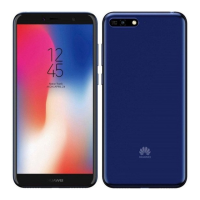
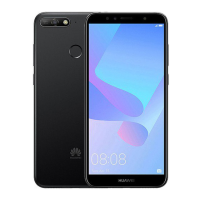
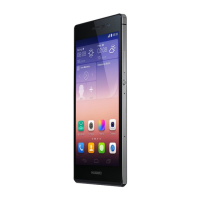
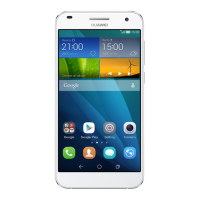
The device includes standard mobile phone components such as a rear camera, front camera, flash, and a micro-USB port for charging and data transfer. It also features an infrared sensor, a status indicator, and a primary microphone. Audio output is handled by an earpiece and a speaker, and there's a headset jack for external audio accessories. The device is equipped with a power button and volume buttons for control. A unique feature mentioned is "Smart Selfie Butterflighting," suggesting advanced selfie capabilities.
To power on the device, users need to press and hold the power button until the screen illuminates. To power off, the power button should be pressed and held, followed by touching the designated power-off icon on the screen. For restarting the device, the power button is pressed and held, and then the restart icon is touched. In cases where the device becomes unresponsive, a forced restart can be performed by pressing and holding the power button for 10 or more seconds.
Setting up the device involves inserting SIM and microSD cards into the card tray. The guide emphasizes the importance of correctly aligning the cards and ensuring the tray is level during insertion to prevent damage. An eject pin is provided for opening the card tray, and users are advised to handle it carefully to avoid injury or scratching the device. The device supports nano-SIM cards and microSD cards for expandable storage.
The device offers access to various settings and information. Users can find detailed function and usage tips through the "Tips" application. Legal information, safety information, and regulatory details can be accessed via the "Settings > System > About phone > Legal" and "Settings > System > About phone > Authentication info" paths, respectively. For general device information, frequently asked questions, and support, users are directed to Huawei's consumer website.
Proper handling and care are crucial for the device's longevity and safe operation. The guide provides several safety guidelines:
Disposal and Recycling: The device, battery, and accessories should be disposed of according to local regulations, not as normal household waste. The crossed-out wheeled-bin symbol indicates that electronic products and batteries must be taken to separate waste collection points at the end of their working lives. Proper collection and recycling are essential for conserving materials, protecting human health, and the environment. Information on where to drop off electronic waste can be found by contacting local authorities, retailers, or visiting Huawei's consumer website.
Hazardous Substances: The device and its electrical accessories comply with local rules on the restriction of hazardous substances, including EU REACH, RoHS, and Battery regulations. Declarations of conformity can be found on Huawei's certification website.
Software Updates: Software updates will be released by the manufacturer to fix bugs or enhance functions. All released software versions are verified and compliant with related rules. Users cannot access or change RF parameters like frequency range and output power.
 General
| Processor | Quad-core 1.5 GHz Cortex-A53 |
|---|---|
| RAM | 2 GB |
| Internal Storage | 16 GB |
| External Storage | microSD, up to 256 GB |
| Main Camera | 13 MP |
| Front Camera | 5 MP |
| Network | GSM / HSPA / LTE |
| Colors | Black, White, Gold |
| SIM | Dual SIM (Micro-SIM, dual stand-by) |
| Weight | 135 g |
| Model | Huawei ATU-L22 |
| Battery | 2200 mAh |
| Operating System | Android 5.1 (Lollipop) |


 To Next Page