Figures
Figure 1-1 Wearing an ESD wrist strap...............................................................................................................1-5
Figure 1-2 Lifting a weight................................................................................................................................1-10
Figure 1-3 Slant angle........................................................................................................................................1-11
Figure 1-4 One meter higher than the eave........................................................................................................1-11
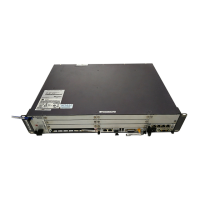
Figure 2-1 BBU3900............................................................................................................................................2-2
Figure 2-2 Typical configuration of the BBU3900..............................................................................................2-4
Figure 2-3 Panel of the UEIU...............................................................................................................................2-5
Figure 2-4 Panel of the GTMU............................................................................................................................2-6
Figure 2-5 Panel of the UELP ...........................................................................................................................2-10
Figure 2-6 DIP switch on the UELP .................................................................................................................2-11
Figure 2-7 Panel of the UBFA...........................................................................................................................2-12
Figure 2-8 Panel of the UPEA............................................................................................................................2-13
Figure 2-9 Panel of the UPEB............................................................................................................................2-13
Figure 2-10 PGND cable....................................................................................................................................2-16
Figure 2-11 Power cable.....................................................................................................................................2-17
Figure 2-12 E1 cable..........................................................................................................................................2-18
Figure 2-13 E1 surge protection transfer cable..................................................................................................2-20
Figure 2-14 Monitoring signal cable between the APMI and the BBU.............................................................2-21
Figure 2-15 CPRI optical cable..........................................................................................................................2-22
Figure 2-16 Alarm cable.....................................................................................................................................2-22
Figure 2-17 DCDU-03B.....................................................................................................................................2-24
Figure 2-18 Ports on the DCDU-03B panel.......................................................................................................2-25
Figure 3-1 Loosening the screws..........................................................................................................................3-5
Figure 3-2 Checking whether the UBFU runs normally......................................................................................3-6
Figure 3-3 Querying UBFU alarms......................................................................................................................3-7
Figure 3-4 Loosening the screws..........................................................................................................................3-8
Figure 3-5 Checking whether the UPEU runs properly.......................................................................................3-9
Figure 3-6 Querying the alarm information of the UPEU..................................................................................3-10
Figure 3-7 Loosening the screws........................................................................................................................3-11
Figure 3-8 Loosening the screws........................................................................................................................3-12
Figure 3-9 Checking whether the GTMU runs properly....................................................................................3-13
Figure 3-10 Querying the software version of the GTMU.................................................................................3-14
Figure 3-11 Querying GTMU alarms.................................................................................................................3-15
BBU3900 GSM
User Guide Figures
Issue 04 (2008-09-05) Huawei Proprietary and Confidential
Copyright © Huawei Technologies Co., Ltd
iii


 To Next Page
 Loading...