2
1 Quick Start
Note:
The supported functions and displayed appearance are subject to your
product purchased. Pictures posted for illustration purpose only. Please
refer to the product for actual appearance. For details of your product
selection, consult your service provider.
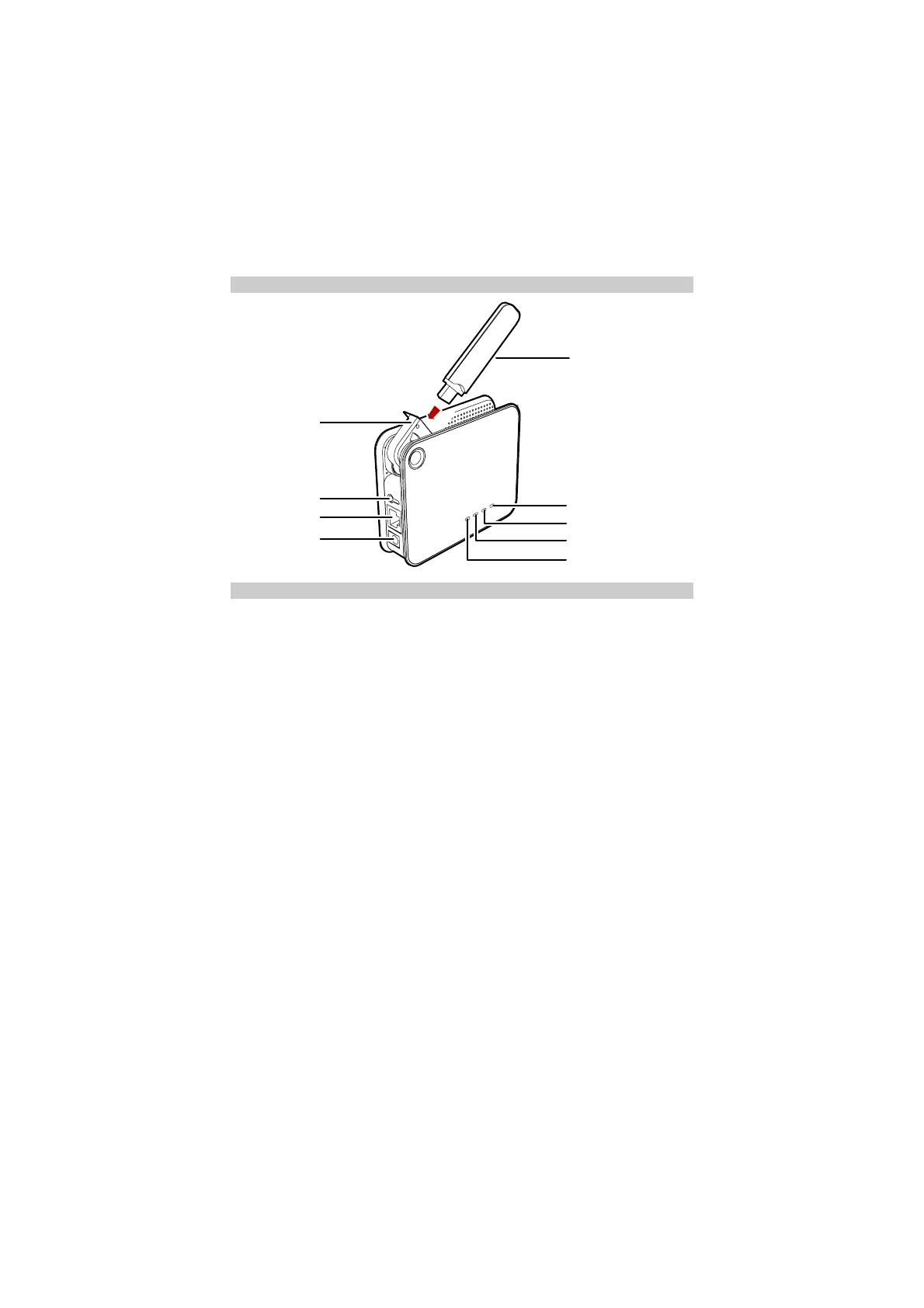
Appearance
USB Interface
Pow er On/Of f
Ethernet Interface
Power Interface
Signal St ren gt h
USB Modem Indicator
WLAN Indicator
Pow er Indicator
Data Card
Installation
Step 1: Connect with the data card through the USB interface.
Note:
y Use the specified data card to connect with the device.
y The data card is provided by your operator. Please consult your operator
for detailed information.
y Make sure that the SIM card is inserted into the data card.



 To Next Page