TROUBLESHOOTING
If you are experiencing difficulties with your Huawei E160 USB modem, please try
the following troubleshooting steps.
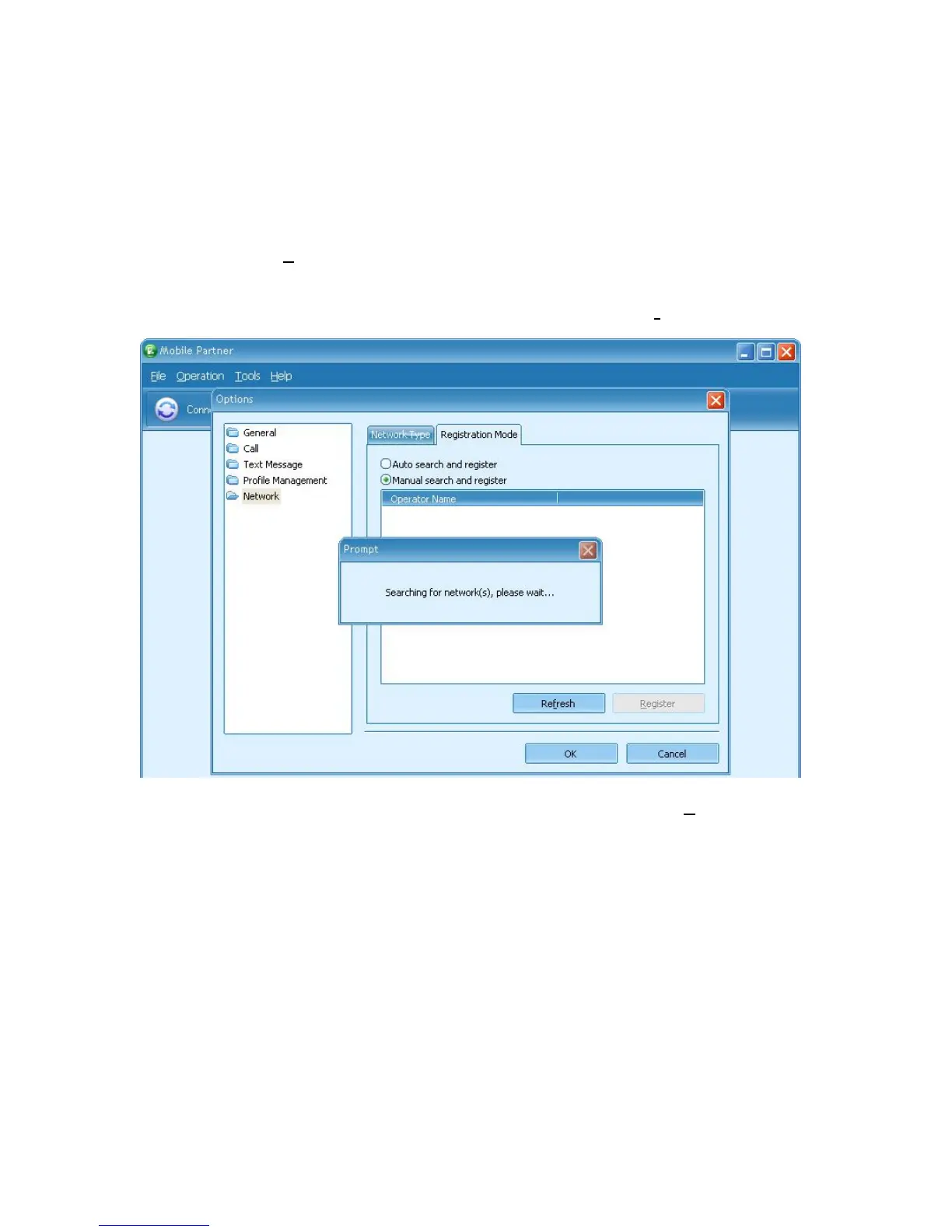
Change Network
1. Locate the Tools – Options… menu
2. In the Options window, click on Network
3. Click on the Registration Mode tab
4. Select Manual search and register and then click on Refresh
5. Once you are shown a list of networks, select one and click on Register
6. Try connecting again, if you still have no success, redo steps 1 – 5 and select a
different network
Reboot your computer
1. Close Mobile Partner and all other applications
2. Reboot your computer
3. Try connecting again
Try another USB port
1. Close Mobile Partner and disconnect your Huawei E160 USB modem
2. Plug it into another free USB port
3. Follow the instructions INSTALLING YOUR USB MODEM and CONNECTING
TO THE INTERNET above
4. Try connecting again



 To Previous Page