Huawei E160e & E169 – Configuration (Mac OS 10.6, Snow Leopard)
Level 5
10 William St
Perth, WA, 6000
Ph: 1300 139 550
Fax: 1300 794 469
sales@highway1.com.au
www.highway1.com.au
Highway 1 (Aust) Pty. Ltd.
ACN: 066 394 509
ABN: 48 066 394 509
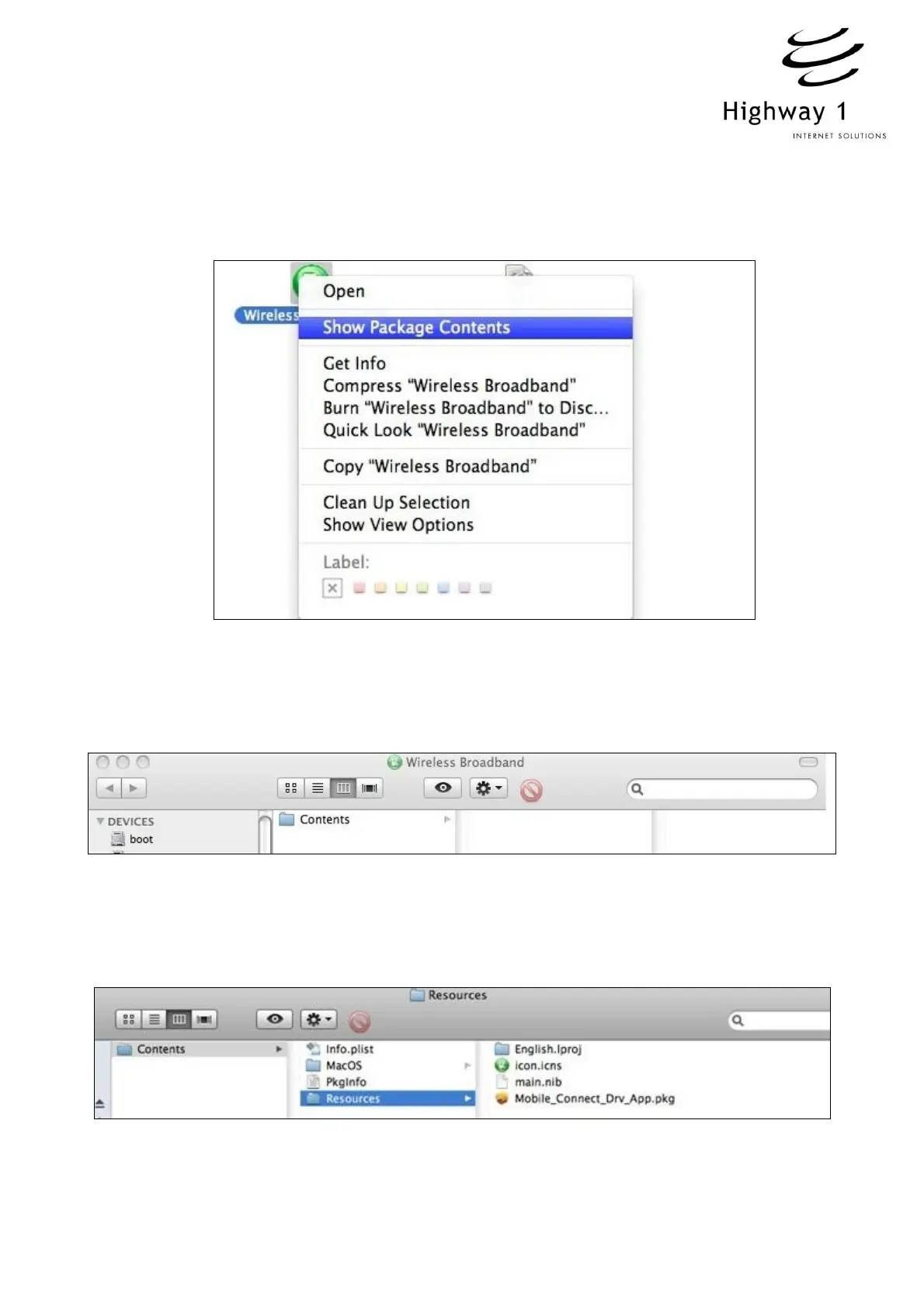
3. Right click on “Wireless Broadband”, select “Show Package Contents” (See figure 2
below)
Figure 2
4. A new window will open (or the current window may change) to display a folder called
“Contents” (See figure 3 below)
Figure 3
5. Open the “Contents” directory, this will offer multiple options (see Figure 4 below),
open “Resources” execute the package “Mobile_Drv_app.pkg”
Figure 4



 To Next Page