10
Pay as you go, surf with 4G speed
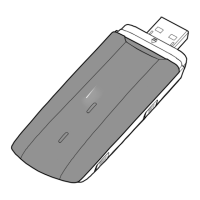
With Telia Mobilt bredband Kontant and the 4G modem Huawei E3276
you can surf the net with great speed – 5 to 20 Mbps – for the time
period of your choice. Telia’s 4G network now provides coverage in
hundreds of Swedish towns and cities, and it is constantly growing.
The package includes: One 4G modem, one SIM card and 24 hours
of free usage.
Connect your modem and get started
1
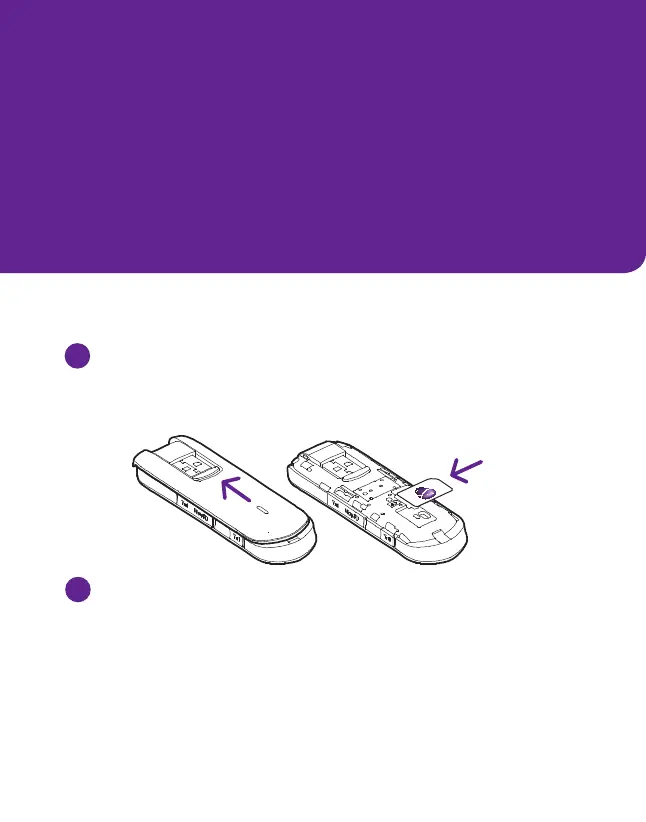
Insert your SIM card into the modem
Make sure it is pointing in the right direction (check the illustrations).
Do NOT use the microSIM card with this modem.
2
Connect and install the modem
Connect the modem to a usb port on your computer
(uninstall any current modem first).
When using a pc: The installation program usually starts automatically.
If it doesn’t, enter the Start-menu and click My Computer (Computer
if you are using Windows Vista or 7) then click the cd-unit called
Mobile Broadband. Then double click the file called Autorun.exe and
the installation will start.
SIM



 To Next Page