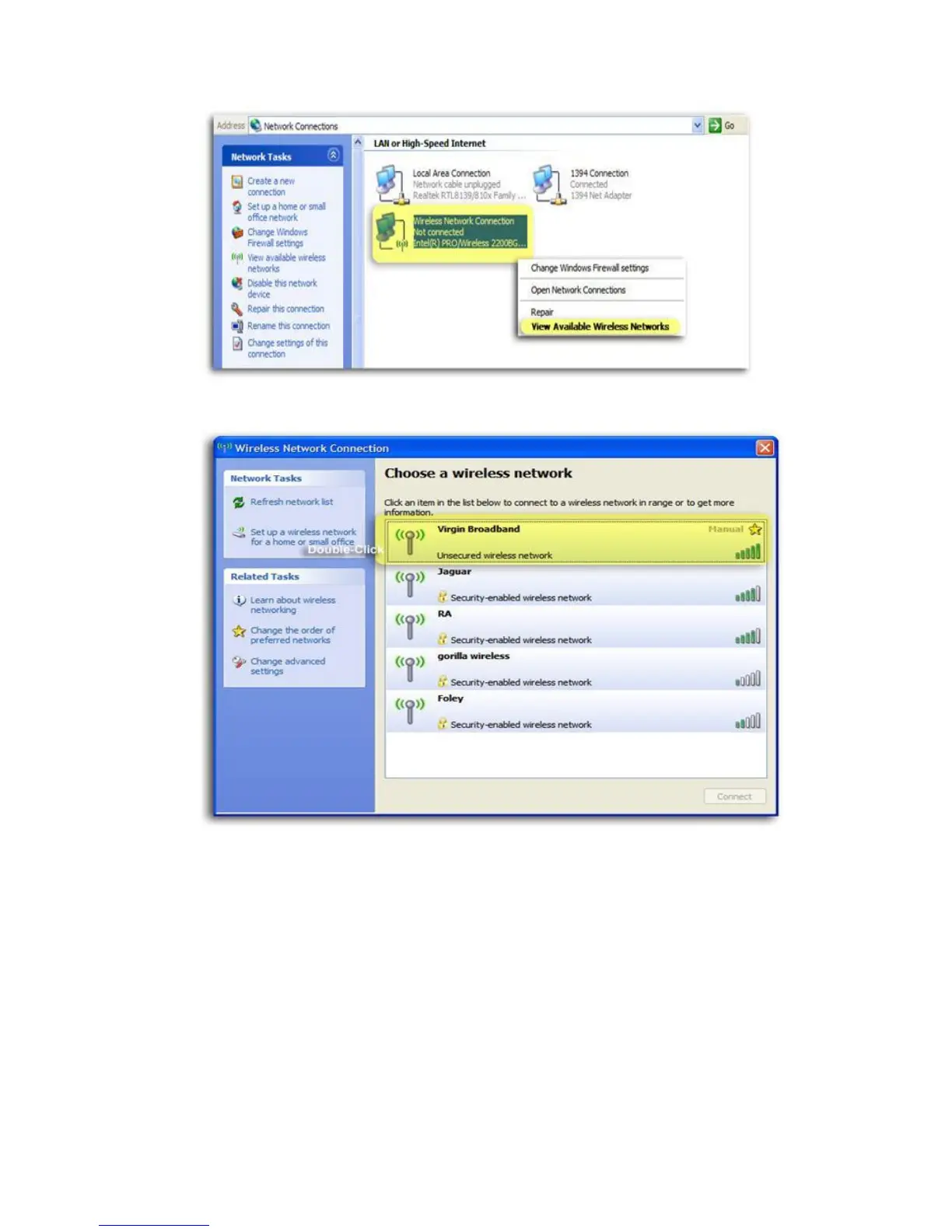
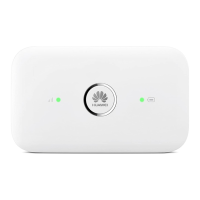
5. Laugh at your neighbours’ funny wireless network names, then double-click or click connect
on the Virgin Mobile or Virgin Broadband connection.
6. You’ll be promted for the network key.
7. Enter the key in both fields and click connect.
8. After approximately a minute the message “Connected” will display in the dialog box and an
icon will appear in the Windows Xp notification area.


 To Next Page