EasyManua.ls Logo

Huawei EchoLife HG8247 - User Manual

Huawei EchoLife HG8247
21 pages
Print Icon
To Next Page IconTo Next Page
Loading...
Quick Start
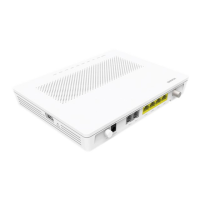
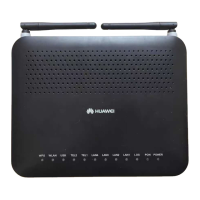
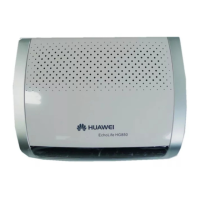
EchoLife HG8240&HG8245&HG8247
GPON Terminal

Other manuals for Huawei EchoLife HG8247

Questions and Answers

  • E
    Elizabeth VillaAug 21, 2025
    Why is my Huawei Network Router ONT failing to register?
    • W
      William CooperAug 21, 2025
      ONT registration failure on your Huawei Network Router can occur due to several reasons. The PON terminal might be going online in an incorrect mode. Alternatively, the optical fiber connected to the ONT could be of poor quality or loosely connected. The optical power of the ONT might not be within the normal range. Also, the minimum and maximum logical distances configured on the OLT port to which the ONT is connected might be inconsistent with the actual distances. The ONT auto-find function could be disabled on the OLT port. Furthermore, when the ONT is added, the configured SN of the ONT might differ from the actual ONT SN, or an ONT with the same SN might already be connected to the OLT. Finally, the ONT might be a rogue ONT.
  • B
    bobby51Nov 4, 2025
    Why is my Huawei Network Router experiencing internet access failure?
    • S
      Scott SnyderNov 5, 2025
      If you're experiencing internet access failure with your Huawei Network Router, several factors could be the cause. It might be due to a faulty user terminal or loop line, a problem with the PON port, or incorrect data configuration of the upper-layer device. Other potential causes include a faulty PON board on the OLT, a problem with the optical path, or a faulty board or port on the ONT. Network attacks, failure of the WAN port to obtain an address, or a WAN MAC address defaulting to 000000000002 could also be responsible. Additionally, the NAT function might be disabled on the bound WAN port, or the LAN port on the ONT might be a bridge Ethernet port failing to obtain an IP address from the upper-layer network. Finally, the ping operation with the IP addresses of the ONT WAN port and th...

Summary

Precautions

Basic Requirements

General handling requirements for the device during storage, transportation, and operation.

Environmental Requirements

Guidelines for device placement and operation in suitable environmental conditions.

Instructions for Cleaning

Steps and precautions for safely cleaning the GPON terminal's exterior.

Introduction

Installing the GPON Terminal

Installation List

List of items included in the product package for installation.

Installation Procedure

Step-by-step guide for mounting the GPON Terminal onto a workbench or wall.

Connecting Cables

Cable Connections Between the HG8240 and Other Devices

Diagram showing how to connect the HG8240 to various external devices.

Cable Connections Between the HG8245 and Other Devices

Diagram showing how to connect the HG8245 to various external devices.

Cable Connections Between the HG8247 and Other Devices

Diagram showing how to connect the HG8247 to various external devices.

Connecting Cables Steps

Logging In to the Web Page

Description of LEDs

LEDs of the HG8240

Visual representation of the LEDs on the HG8240 model.

LEDs of the HG8245

Visual representation of the LEDs on the HG8245 model.

LEDs of the HG8247

Visual representation of the LEDs on the HG8247 model.

Table 1 LED status indications 1

Detailed status indications for various LEDs on the GPON terminal.

Table 2 LED status indications 2

Specific status indications for PON and LOS LEDs.

FAQs

Technical Specifications

Warranty Card

Limited Warranty

Huawei EchoLife HG8247 Specifications

General IconGeneral
BrandHuawei
ModelEchoLife HG8247
CategoryTouch terminals
LanguageEnglish

Related product manuals