2
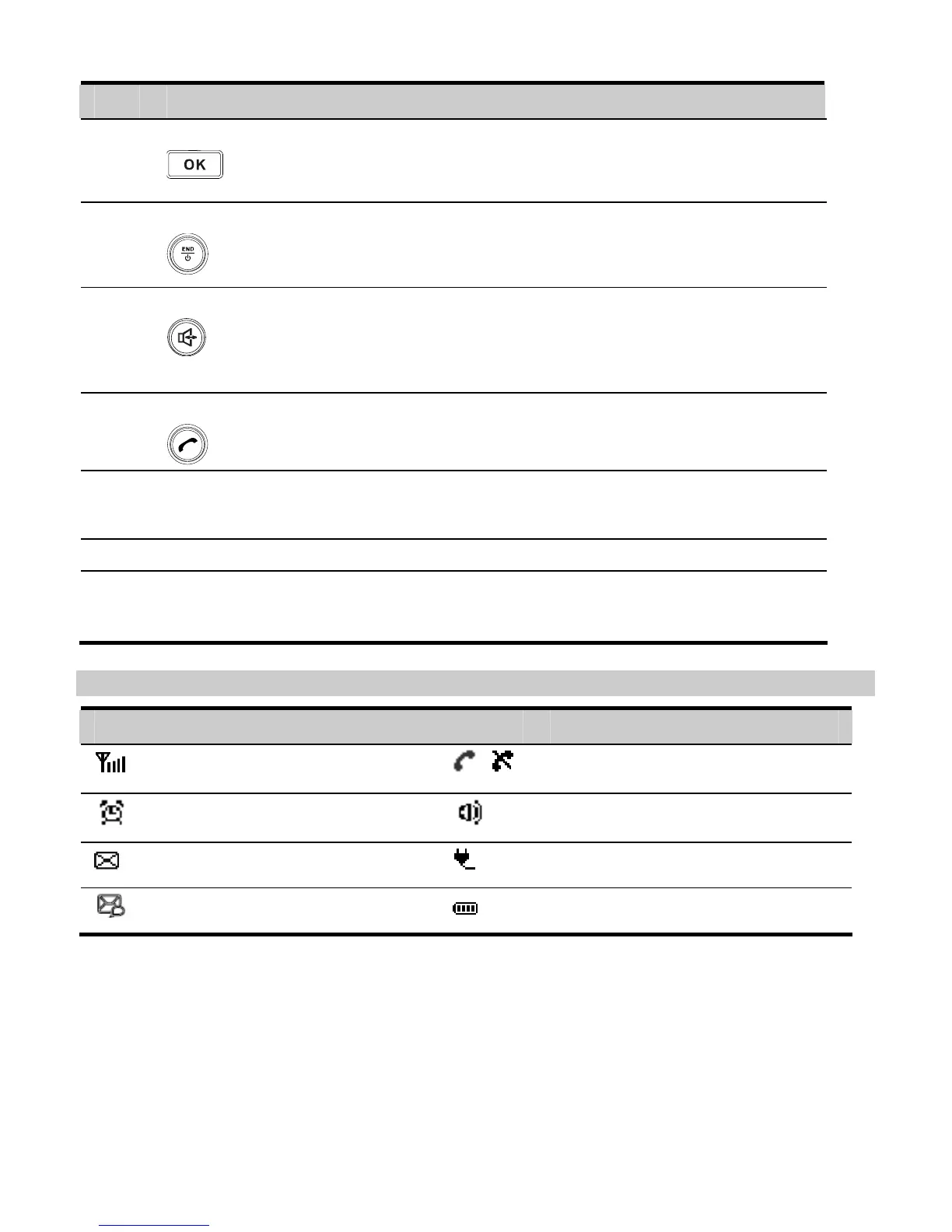
No. Item Description
6 OK key
y Access the main Menu in standby mode.
y Select the option displayed on the lower left corner of the
display screen.
7 End key
y End a call or reject an incoming call.
y Power on or off the FWT (by pressing and holding it).
y Return to the standby mode.
8 Hands-free key
y Make or answer a call without lifting the handset.
y Cancel the dialing, when dialing a number in the hands-free
mode.
y End the current call during a call in the hands-free mode.
9 Call/Redial key
y Make or answer a call.
y View the call history in standby mode.
10 # key
y Lock the keypad in standby mode (by pressing and holding
it).
y Switch between different input methods in the edit mode.
11 * key
Display a symbol list in the edit mode.
12 Number keys
y Number keys from 0 to 9: Enter numbers and characters.
y Number keys from 2 to 9: Press and hold a key to speed dial
a phone number in standby mode.
Screen Icons
Icon Description Icon Description
Network signal strength
/
Calling / No service
Alarm clock is on
Hands-free mode
Message received
Powered by power adapter
Voice message received
Battery power level



 To Next Page