Validating
6
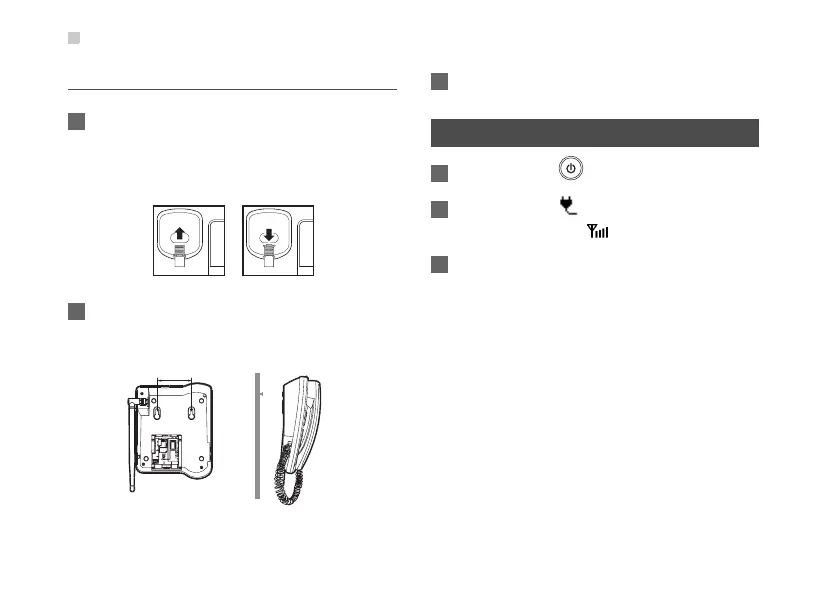
Vertical Placing
1 Pull out the handset retaining clip from the slot
and turn it around. Then push it back so that the
handset will not fall down when FWT is placed
vertically.
2 According to the distance between the two
hooks (about 7.7cm), hammer two nails into the
wall with 3mm end left out.
3 Snap the hooks to the nails.
Validating
1 Press and hold to power on your FWT.
2 The power icon appears normally. The
signal strength icon appears normally.
3 If you are able to make a call, it indicates that the
FWT is installed correctly.
7.7cm









 To Next Page