1
1Introduction
Packing List
Note
To access the Internet, you need to purchase
the required data suite. For more information,
consult your local
sales agent.
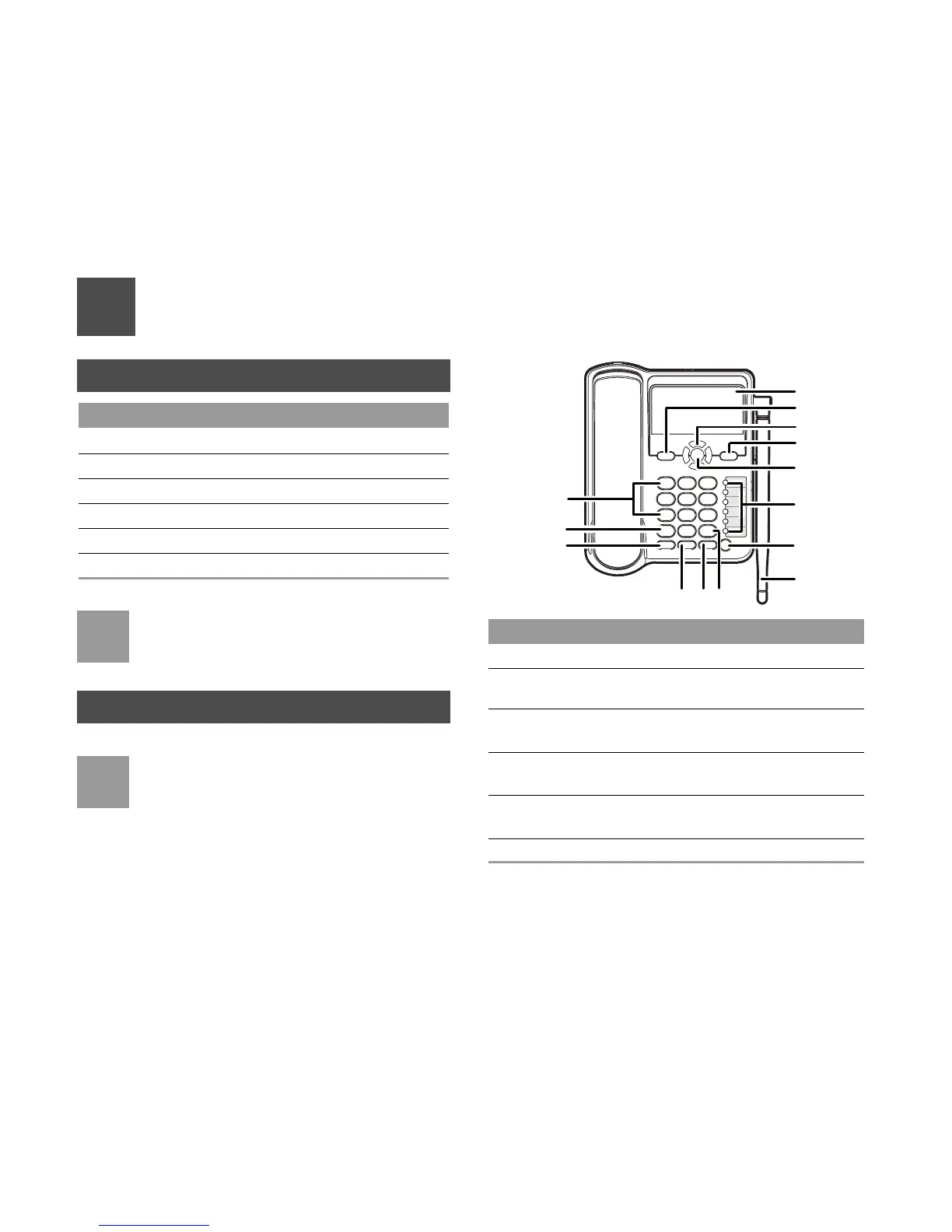
Front View
Note
The figures are only for your reference. The
actual color and shape are subject to the deliv
-
ered product.
Item Quantity
Main unit, handset, and coiled cord 1
Power adapter 1
Antenna (Optional) 1
Battery (Rechargeable) 1
Certificate of Quality 1
User Guide 1
Item Description
1 Screen Display information.
2 Left soft key Select the option displayed on the
lower left corner of the
screen.
3 Scroll keys Access the shortcut screen in standby
mode.
4 Right soft key Select the option displayed on the
lower right corner of the
screen.
5 OK key Access the main menu in standy
mode.
6 Shortcut keys Speed dial a phone number.
1
910
11
12
13
14
8
7
6
5
4
3
2



 To Next Page