2
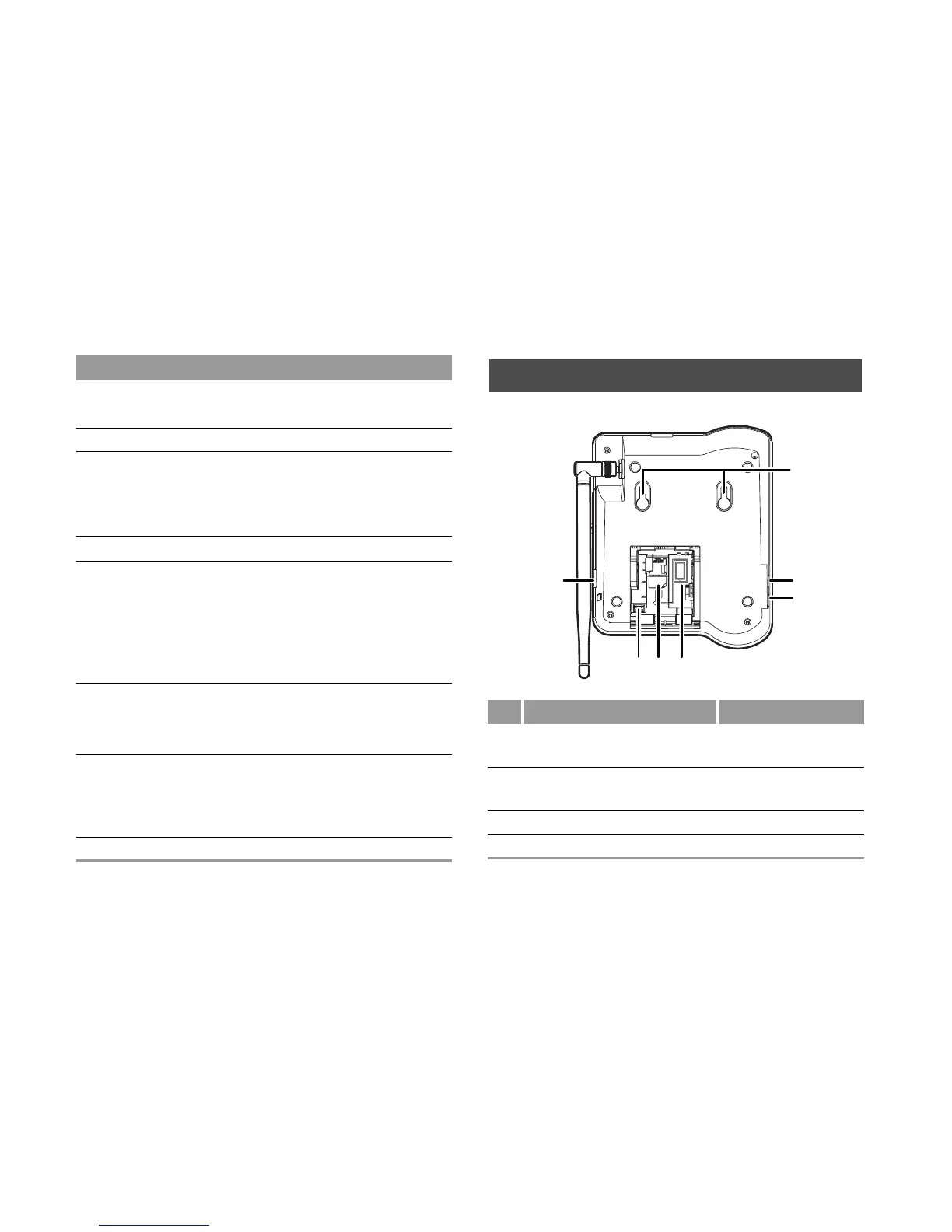
Rear View
7 Call/Redial
key
• Make or answer a call.
• View dialed calls in standby mode.
8 Antenna Receive signals.
9 # key • Press and hold it to switch between
the silent and normal profiles.
• Switch on/off the input mode of T9.
• Mark/unmark a record.
10 Headset key
Activate the headset.
11 Handsfree
key
•Make/answer a call without lifting the
handset.
• Cancel the dialing that is in hands-
free mode.
• End the call that is in handsfree
mode.
12 End key • End a call or reject an incoming call.
• Press and hold it to power on or off.
• Return to the standby mode.
13 * key • Press and hold it to lock the
keyboard in standby mode.
• Switch between different input meth-
ods in text input mode.
14 Number keys Enter numbers and characters.
Item Description
No. Item NO. Item
1 Wall-mounting brack-
ets
2 Headset port
3 Main unit spiral cord
jack
4 Battery container
5 SIM card slot 6 Battery port
7 Data port
1
2
3
65 4
7



 To Next Page