4
Do not frequently remove the UIM card when using the phone.
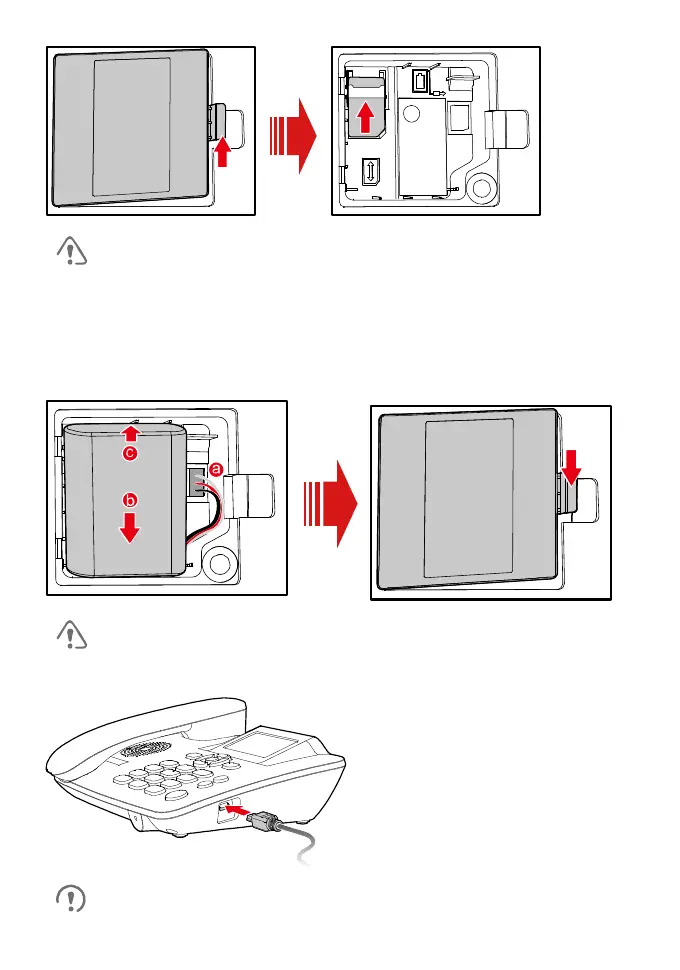
Installing the Battery
Before using the phone, install the battery properly. When installing the battery,
ensure that the phone is powered off and is disconnected from the power adapter;
ensure that the golden contacts of the battery mate securely with those in the
battery slot.
If the phone will not be used for a long time, remove the battery from
the phone.
Charging the Battery
When new phones are delivered, the battery power is low.



 To Next Page