The figures in this document are provided only for your reference. The phone that you
have purchased may differ from that shown.
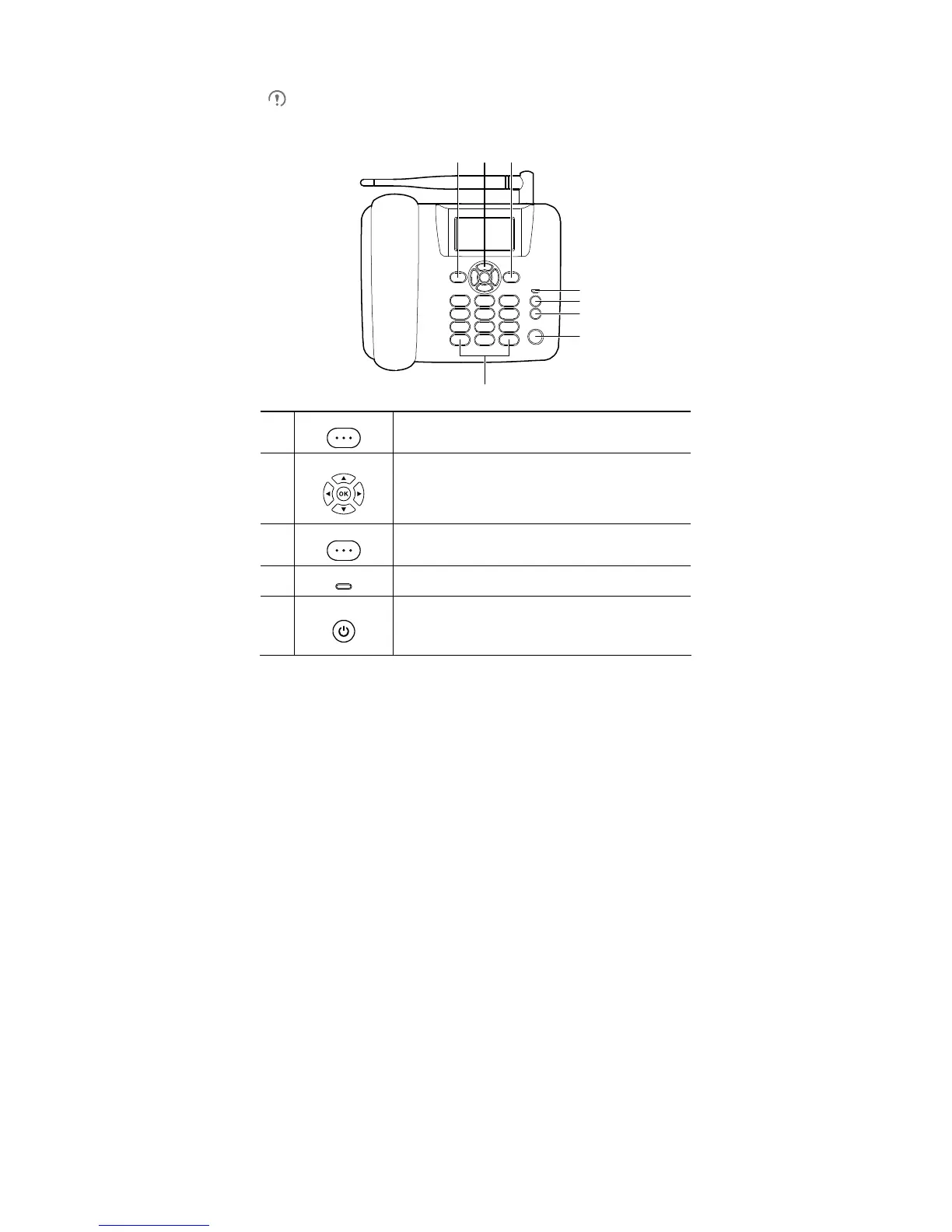
Front View
8
1
Left function key
Press this key to select the menu option in the lower left corner
of the screen.
2
Navigation keys
In standby mode, press OK to access the main menu.
In standby mode, press a navigation key to access the
specific shortcut menu.
During a call, press left or right navigation key to adjust the
call volume.
3
Right function key
Press this key to select the menu option in the lower right
corner of the screen.
4
Power indicator
The power indicator is steady red when the phone is
connected to a power supply.
5
End key
End a call or reject an incoming call.
Press and hold this key to power the phone on or off.
In non-standby mode, press this key to return to the standby
mode.










 To Next Page