3
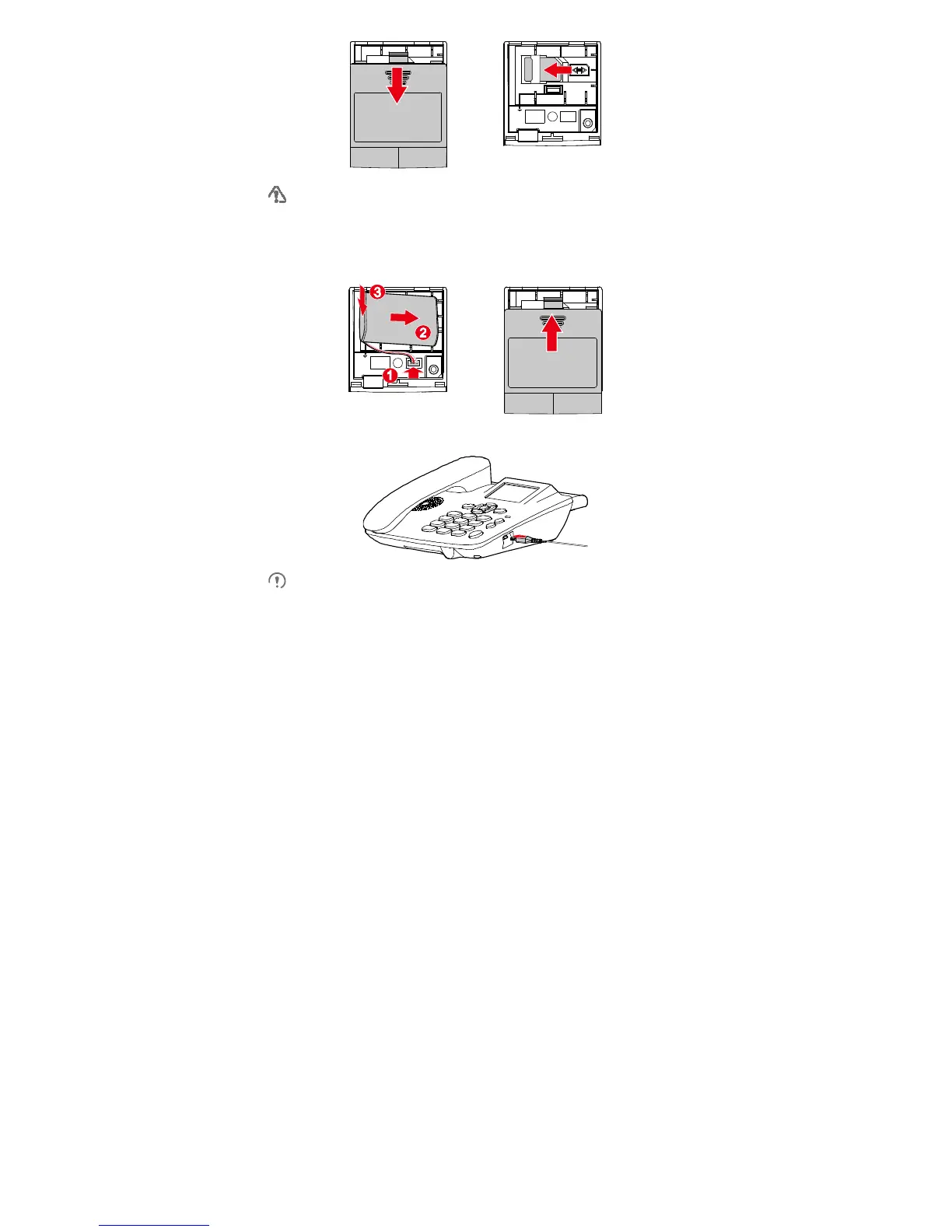
Do not frequently remove or insert the SIM card when using the phone.
Installing the Battery
Before installing the battery, ensure that the phone is powered off and disconnected from the
power adapter. Ensure that the battery cable is correctly connected and that the battery
poles are not reversed.
Charging the Battery
Remove the battery if the phone is left unused for a long period.
The battery supplies power for only a limited period. Ensure that the battery has
been fully charged before using the phone without the line power supply connected.
If the battery has not been used for a long time or the battery is exhausted, the
screen of the phone may not function when you charge the battery again. This is
normal. After the battery is being charged for a while, you can power on the phone
for use.









 To Next Page