13
2. Select a scene for taking a picture, and then perform the
corresponding settings as required.
3. Focus the camera on the scene, and then press to take the
picture.
4. Tap Save to save the picture or tap Delete to delete the picture.
9 Video Recorder
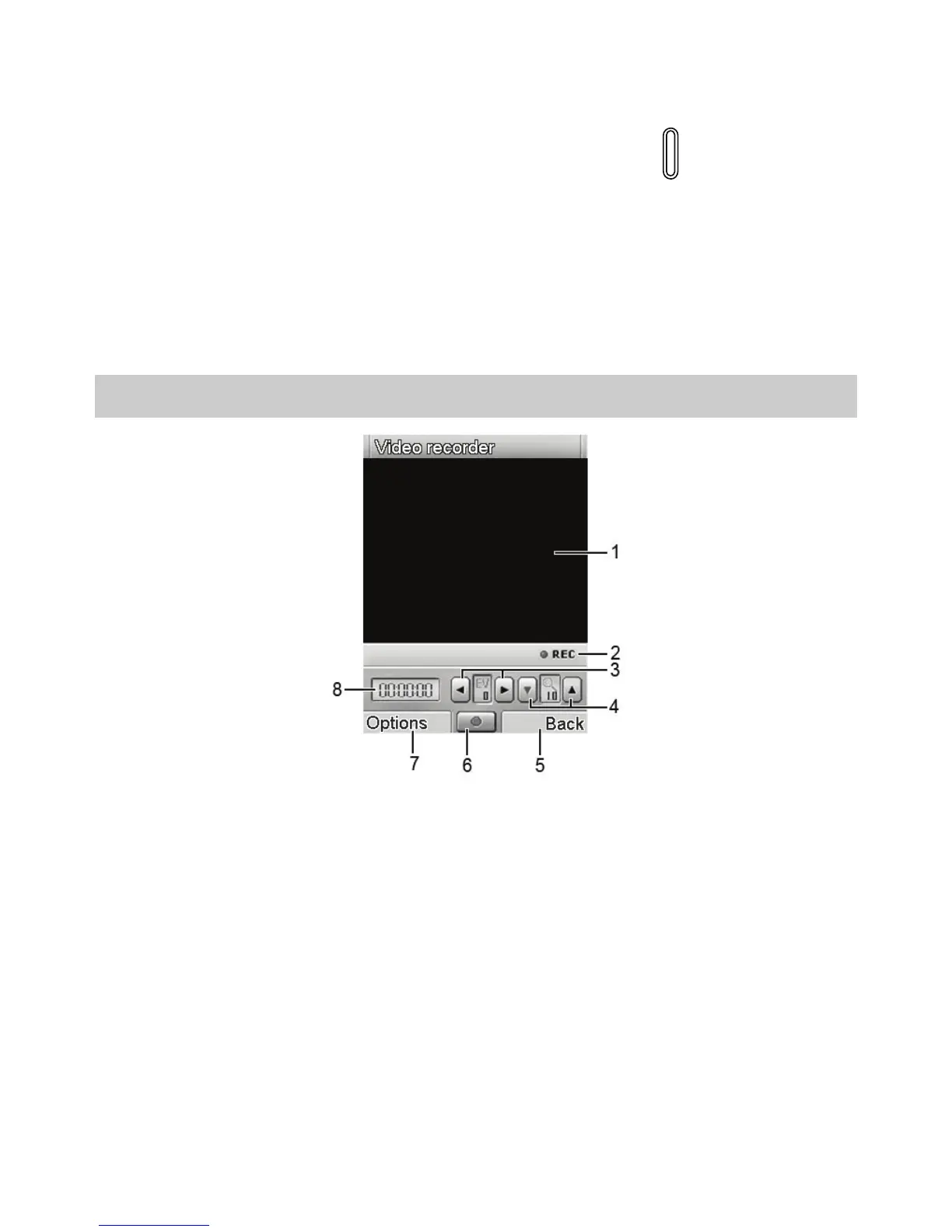
Video Recorder Screen
1 Video display area.
2 Recording indicator.
3 To adjust the exposure compensation.
4 To zoom in or zoom out.
5 To return to the previous menu.
6 To start recording.
7
To access the Options screen to perform video
recorder–related settings.
8 Duration of the recorded video file.



 To Next Page