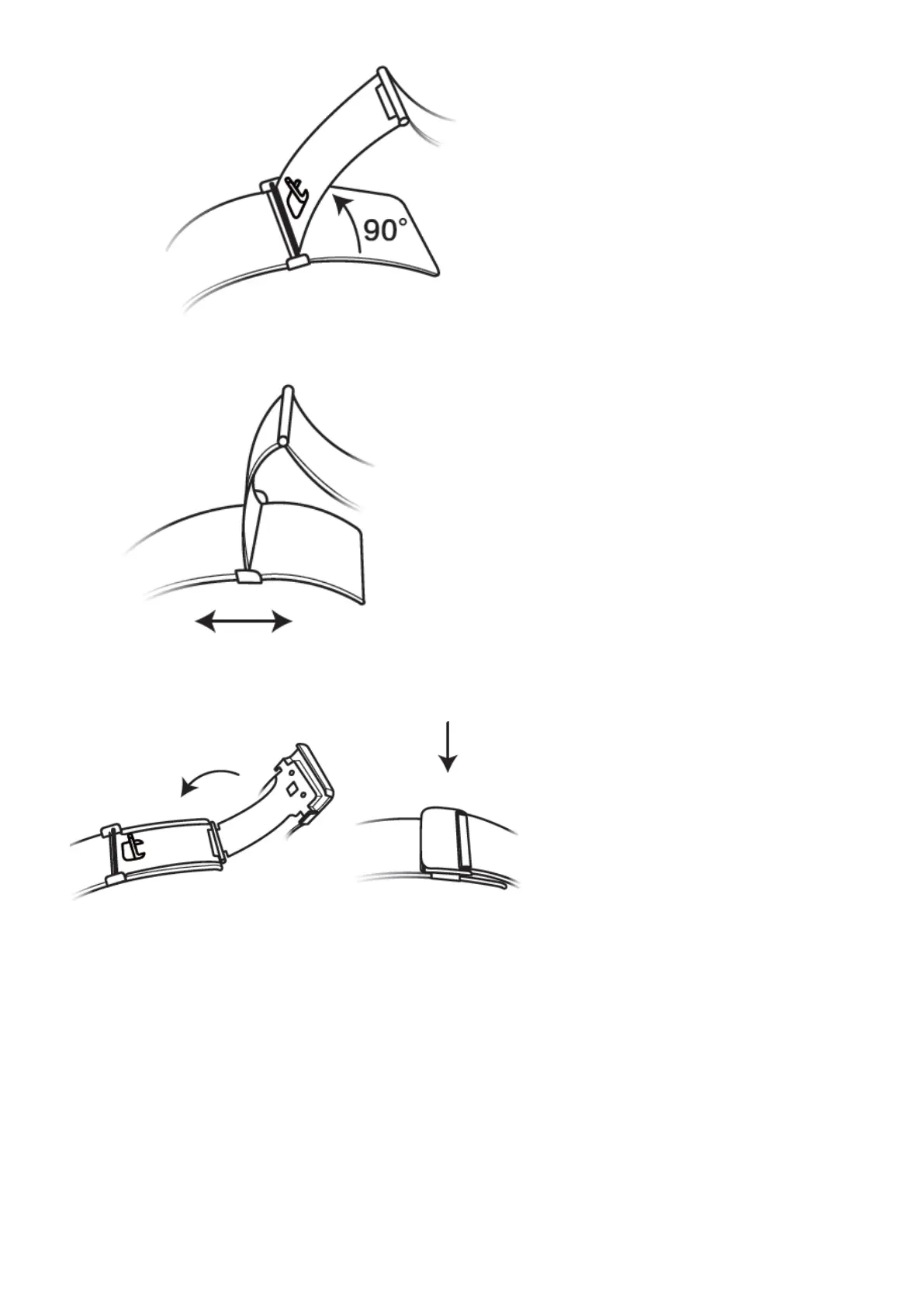
3. Slide the clasp to adjust the length.
4. Align the plate with the grooves and clamp it back down. Finish by fastening the clasp.
Removing and installing the strap
To remove a non-metallic strap, unlock the fastener, remove your current strap, and then
release the spring pin, as shown in the following gure. Follow the steps in the reverse order
to install a new strap.
More guidance
36














 To Next Page