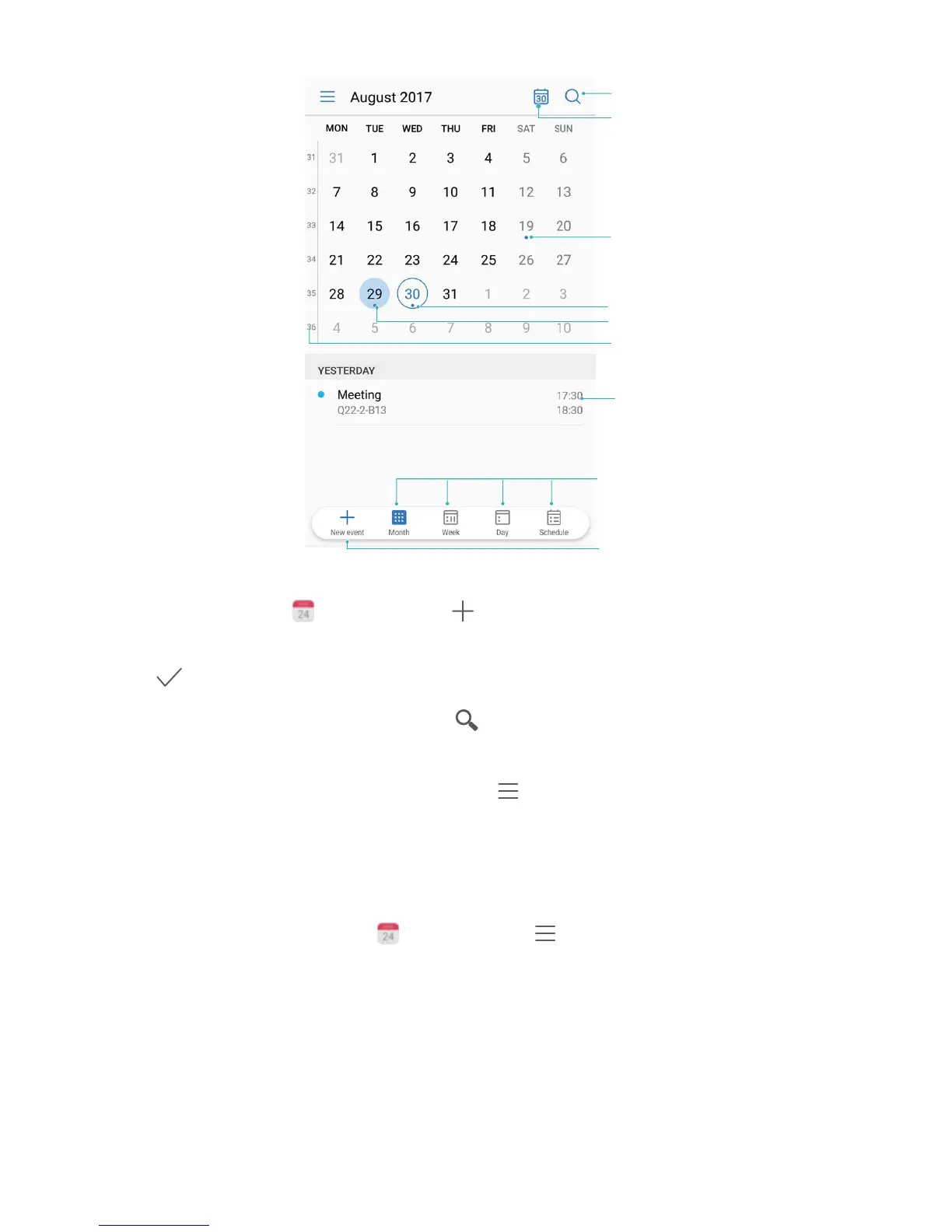
Create an event: Open Calendar, touch , enter your event information including title,
location, and start and end times. Go to More > Remind to add a reminder for your event, then
touch .
Search events: On the Calendar page, touch
and enter the event keywords, such as title or
location.
Congure Calendar: On the Calendar page, go to > Settings to customise calendar display
and reminders.
Import To-Dos to Keep Your Work Organised
Import meeting reminders: Open
Calendar, go to > Add account, and follow the
onscreen prompts to add your work email (Exchange account) in Calendar to check meeting
reminders.
Calendar
63



 To Next Page