Change the Display Settings
Change the font size and adjust the screen brightness to suit your needs.
Open Settings and touch Display. From here you can:
l Change the image and text size: Touch View mode and select a display mode to suit your
needs.
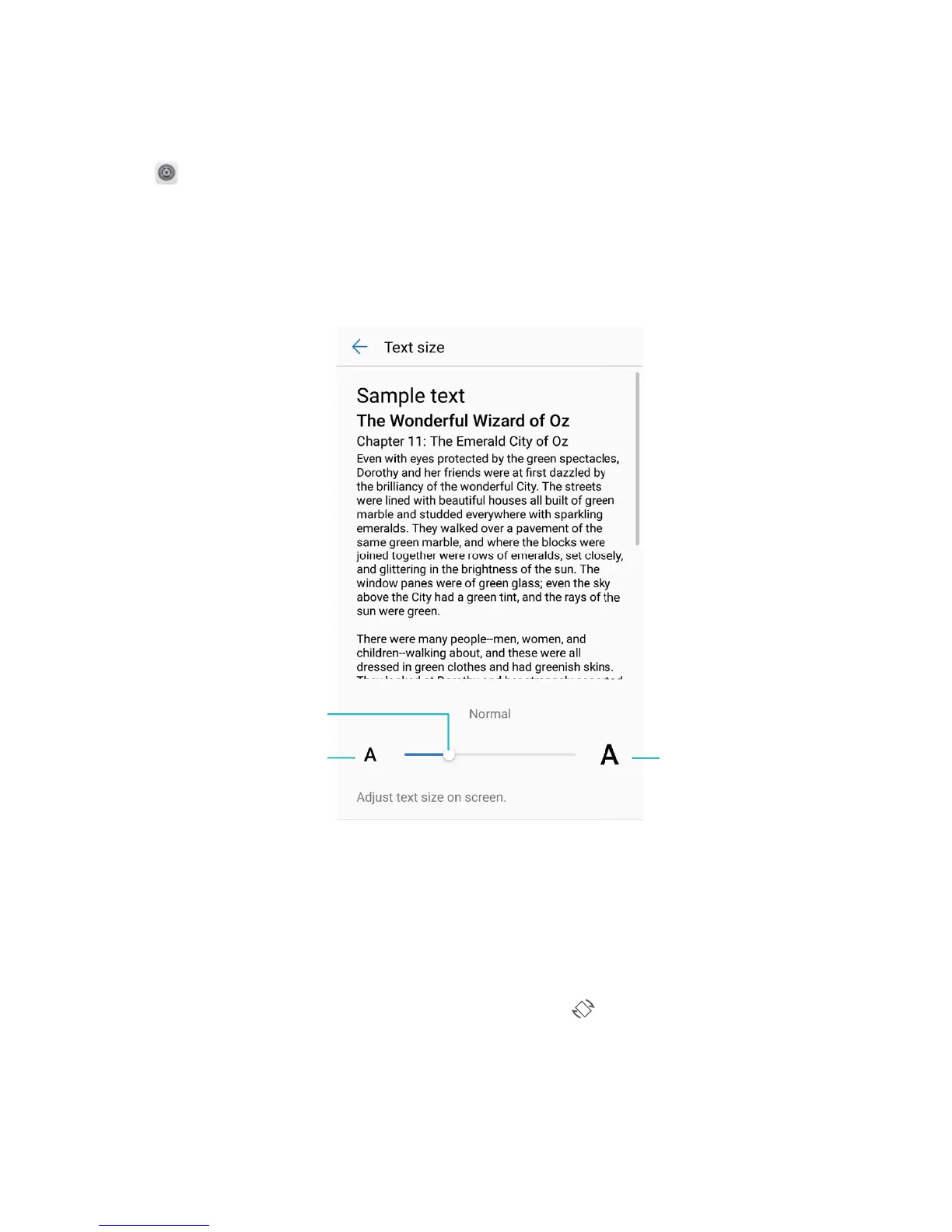
l Change the text size: Touch Text size and select the desired size.
l Adjust the screen brightness: From Brightness, select the check box next to Automatic. When
this option is enabled, your Phone will automatically adjust the screen brightness based on the
ambient brightness. To manually adjust the brightness, drag the brightness slider, or swipe down on
the status bar to open the notication panel and access the brightness settings.
l Enable automatic screen rotation: Enable Auto-rotate screen. Alternatively, swipe down from
the status bar, open the shortcuts panel, and then switch on .
Sound and Display
88



 To Next Page