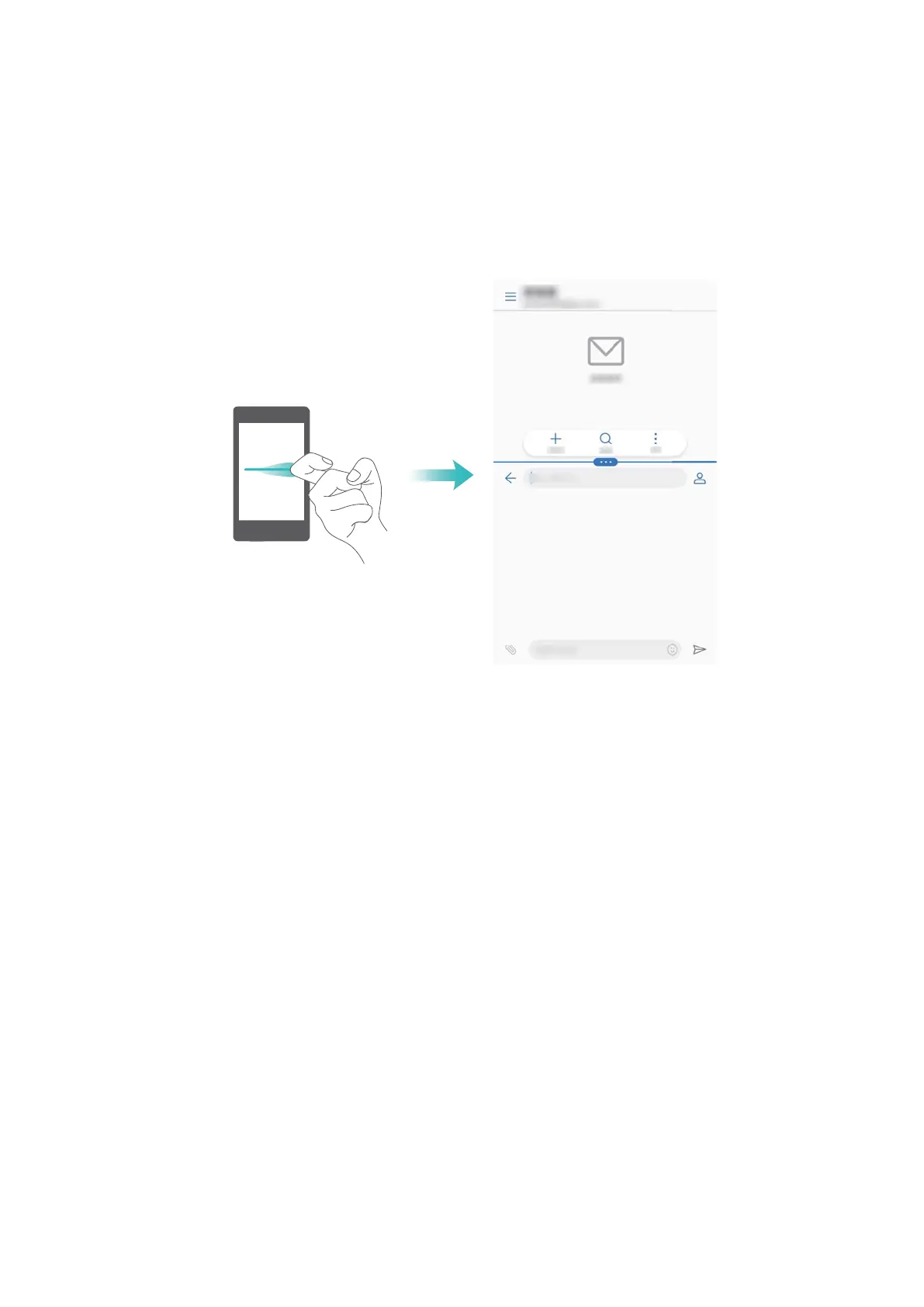
Using your knuckle to enable split screen mode
Open an app that supports split-screen mode and knock the screen with one knuckle. Hold down
your knuckle and draw a line across the screen.
If the screen is in portrait view, draw a horizontal line; if the screen is in landscape view, draw a
vertical line.
Using swipe gestures to enable split screen mode
Open an app that supports split screen mode, and then swipe up from the bottom of the screen
with two fingers.
Screen and Display
33



 To Next Page