2 Touch an image to view it in full-screen mode. In full-screen view, touch to open the
photo editor and edit your photo using the available tools.
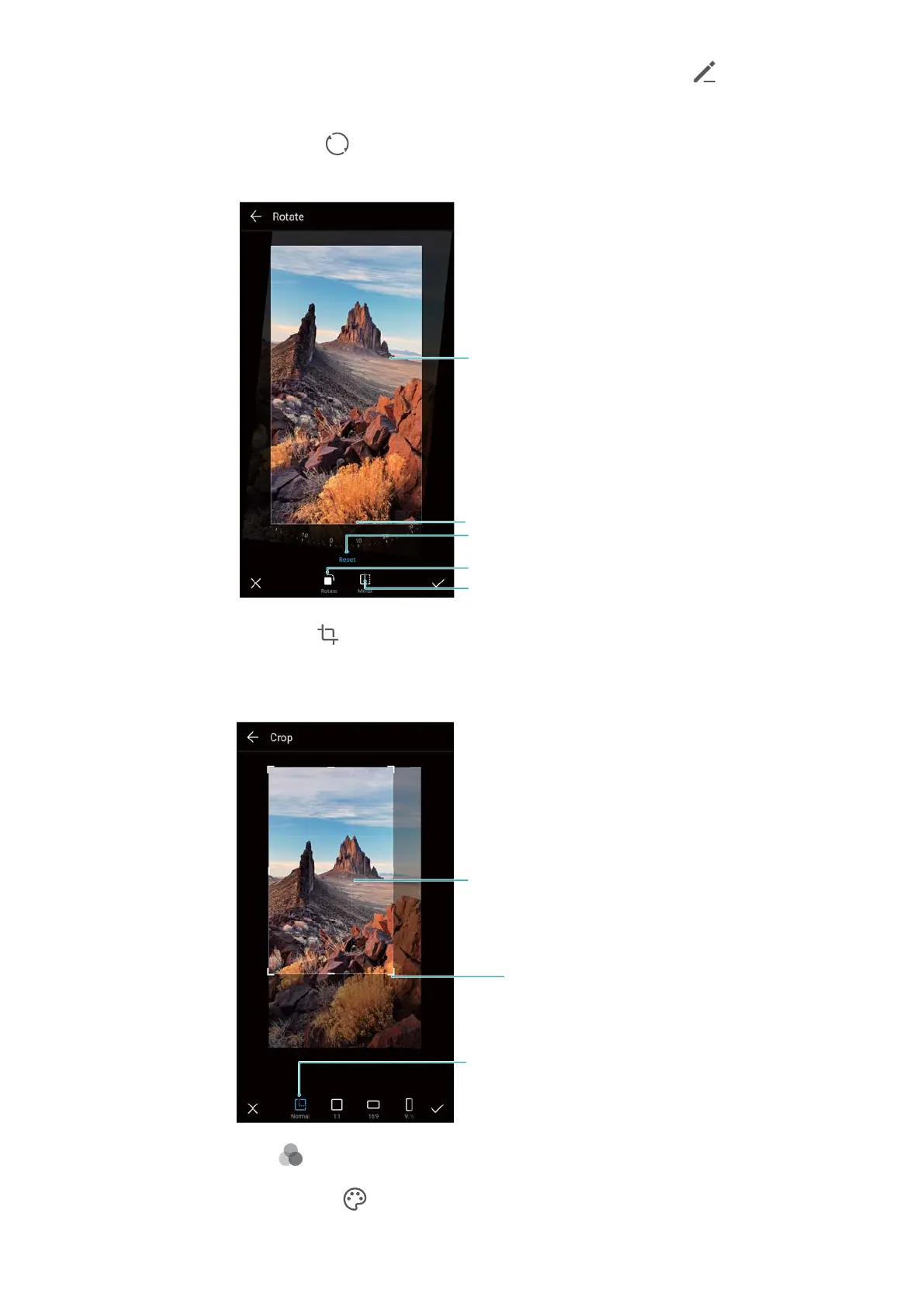
l Rotate an image: Touch and swipe the screen to adjust the angle of rotation.
Undo changes
Rotate vertically
Mirror image
Swipe screen to rotate image
Portion of image to preserve after rotation
l Crop an image : Touch to select the crop ratio . Drag the dotted edges to crop the
image to the desired size.
Crop proportions
Crop selection
Crop grid corner
l Add a filter: Touch and select the desired filter.
l Accentuate colors: Touch . Select an area of the image to accentuate the color. All
other areas will be displayed as black and white.
Camera and Gallery
71



 To Next Page