Need help?
Do you have a question about the Huawei INE-LX1 and is the answer not in the manual?
Identifies physical parts and provides basic instructions for powering on/off and restarting.
Guide and precautions for inserting SIM and microSD cards into the device tray.
Accessing online resources, legal, safety, and regulatory info via Huawei's website and device settings.
Safety guidelines for usage, including hearing, temperature, driving, and proper device disposal.
Compliance with regulations on hazardous substances and EU directives, including body worn operation.
SAR values, body-worn requirements, EU conformity declaration, and 2.4 GHz band restrictions.
Details on frequency bands, power output, recommended accessories, and software versions.
Information on trademarks, privacy policy, copyright, and warranty disclaimers.
This document serves as a Quick Start Guide for the INE-LX1 and INE-LX2 devices, providing essential information for getting started, safety, and regulatory compliance.
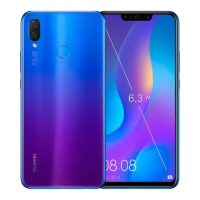
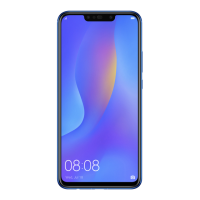
The device features a comprehensive layout of components for various functions. On the front, you'll find the earpiece (14) at the top, along with the front camera (12) and light sensor (1). The status indicator (13) is also located in this area, providing visual cues about the device's state. The right side of the device houses the power button (10) and volume button (11), which are crucial for controlling the device. The bottom edge includes the primary microphone (8), a Micro-USB port (7) for charging and data transfer, and the speaker (9). On the back, the device features a rear camera (3), flash (4), and a fingerprint scanner (5) for secure authentication. A secondary microphone (2) is also present, likely for noise cancellation or stereo audio recording.
To power on the device, press and hold the power button until the screen illuminates. To power off, press and hold the power button, then tap the power off icon on the screen. Similarly, to restart the device, press and hold the power button, then tap the restart icon. In situations where the device becomes unresponsive, a forced restart can be performed by pressing and holding the power button for 10 or more seconds.
Proper installation of SIM and microSD cards is critical for the device's functionality. It's important to note that SIM cards should not be inserted or removed while the device is powered on. When inserting a card, ensure it is correctly aligned and that the card tray is level to prevent damage. The included eject pin should be used carefully to avoid scratching the device or causing injury. Always store the eject pin out of reach of children to prevent accidental swallowing. The device is designed to work with standard nano-SIM and microSD cards; using cut or modified cards may damage the card tray. If your SIM card is incompatible, contact your carrier for assistance.
The guide illustrates two configurations for card installation: Single-SIM and Dual-SIM. For Single-SIM devices, the tray typically accommodates one nano-SIM card and one microSD card. For Dual-SIM devices, the tray offers flexibility, allowing for either two nano-SIM cards or one nano-SIM card and one microSD card. This dual-SIM, dual-standby, single-pass feature means that while both SIM cards are active for standby, only one can be used for calls or data services at any given time. For example, if SIM card 1 is in use for a call, SIM card 2 will be unavailable for incoming or outgoing calls. Similarly, if SIM card 1 is providing data service, SIM card 2's data service will be disabled. This design helps conserve power and extend standby time. To manage potential conflicts, users can enable call forwarding between SIMs through the device's settings under "Settings > Wireless & networks > Dual SIM settings."
Adhering to safety guidelines is paramount for the safe and proper operation of the device. To prevent hearing damage, avoid listening at high volume levels for extended periods. Only use approved or compatible power adapters, chargers, and batteries, as unauthorized accessories can damage the device, shorten its lifespan, or pose fire or explosion hazards. The device operates optimally between 0 °C and 35 °C and should be stored between -20 °C and +45 °C. Keep the device and its battery away from excessive heat and direct sunlight, and do not place them on or near heating devices like microwave ovens or stoves.
For users with pacemakers, a minimum distance of 15 cm should be maintained between the device and the pacemaker to prevent interference. It is recommended to hold the device on the side opposite the pacemaker and avoid carrying it in a front pocket. When using the device, always observe local laws and regulations, especially regarding wireless device use while driving to reduce accident risks. During air travel or immediately before boarding, follow provided instructions for device usage, as wireless device operation in an aircraft can disrupt networks, pose hazards, or be illegal.
To protect the device's internal components, avoid using it in dusty, smoky, damp, or dirty environments, or near magnetic fields. When charging, ensure the power adapter is plugged into an easily accessible socket near the device. Always unplug the charger from electrical outlets and the device when not in use. The device should not be stored or transported in areas with flammable or explosive materials, such as gas stations or oil depots, as this increases the risk of explosion or fire.
Proper disposal and recycling of the device, battery, and accessories are crucial. The crossed-out wheeled-bin symbol indicates that these items should not be disposed of with normal household waste. Instead, they must be taken to designated waste collection points for separate recycling of waste electrical and electronic equipment (WEEE) and batteries, in accordance with local laws. Correct collection and recycling help conserve valuable materials, protect human health, and safeguard the environment. Improper handling, accidental breakage, or incorrect recycling can be harmful. For more information on disposal, contact local authorities, retailers, or household waste disposal services, or visit the manufacturer's website.
The device and its electrical accessories comply with local regulations on the restriction of hazardous substances, including EU REACH, RoHS, and Batteries regulations. Declarations of conformity regarding these regulations can be found on the manufacturer's certification website.
For EU regulatory conformance, the device complies with RF specifications for body-worn operation when used near the ear or at a distance of 0.50 cm from the body. Ensure that device accessories, such as cases and holsters, do not contain metal components to meet distance requirements. The device is declared to be in compliance with the essential requirements and other relevant provisions of Directive 2014/53/EU. The most recent Declaration of Conformity can be viewed on the manufacturer's certification website. This device can be operated in all EU member states, but users should observe national and local regulations, as use may be restricted depending on the local network. For Norway, restrictions in the 2.4 GHz band do not apply to the geographical area within a 20 km radius from the center of Ny-Ålesund.
The device operates within specific frequency bands, some of which may vary by country or region. The maximum radio-frequency power transmitted in these bands is less than the highest limit value specified in the related Harmonized Standard. All RF parameters, including frequency range and output power, are not user-accessible or changeable. Software updates will be released by the manufacturer to fix bugs and enhance functions, and all released software versions are verified to be compliant with relevant rules.
For more detailed information, users can access the "Tips" section on the device for function details and usage tips. Further device information, frequently asked questions, and support contact details can be found on the manufacturer's consumer website. Legal information, safety information, and regulatory authentication details for the product are available in the device's settings under "System > About phone > Legal" and "System > About phone > Authentication info," respectively. It is important to note that all pictures and illustrations in this guide are for reference only, and the actual device may vary. This guide does not constitute a warranty of any kind.
 General
| CPU | Octa-core (4x2.2 GHz Cortex-A73 & 4x1.7 GHz Cortex-A53) |
|---|---|
| GPU | Mali-G51 MP4 |
| RAM | 4 GB |
| Internal Storage | 64 GB |
| Selfie Camera | 16 MP, f/2.0 |
| Model | INE-LX1 |
| Main Camera | 16 MP, f/2.2, PDAF + 2 MP |
| Battery | 3000 mAh, non-removable |
| SIM | Hybrid Dual SIM (Nano-SIM, dual stand-by) |
| Weight | 145 g |
| Dimensions | 7.4 mm |

 To Next Page