Need help?
Do you have a question about the Huawei INE-LX1r and is the answer not in the manual?
Identifies and labels the external components of the device.
Instructions for powering the device on, off, and restarting.
Essential precautions and procedures for inserting SIM cards correctly.
Guides for setting up single and dual SIM card configurations.
Explains restrictions of dual SIM standby and single pass functionality.
Guidance for finding device details, tips, FAQs, and support contact.
How to access legal, safety, and regulatory information for the device.
Guidelines for safe device use, environment, and potential hazards.
Procedures for device disposal, recycling, and compliance with substance regulations.
Information on SAR values, RF specifications, and body-worn operation.
Details on radio frequency bands, power, accessories, and software.
Details on trademarks, copyrights, and intellectual property rights.
Guidance on the device's privacy policy and data protection practices.
This document serves as a Quick Start Guide for the HUAWEI INE-LX1r and INE-LX2r devices, providing essential information to get users acquainted with their new device, including its physical layout, initial setup, safety guidelines, and regulatory information.
The guide begins by presenting a visual overview of the device, highlighting its key components. Users are instructed on how to power on, power off, and restart the device. To power on, press and hold the power button until the screen illuminates. To power off, press and hold the power button, then touch the power off icon. To restart, press and hold the power button, then touch the restart icon. For a forced restart, press and hold the power button for 10 or more seconds.
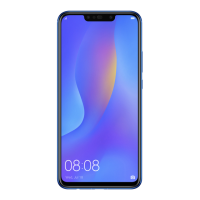
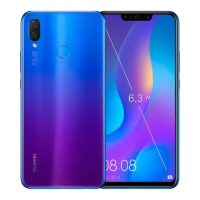
The device features a light sensor (1), secondary microphone (2), rear camera (3), flash (4), fingerprint scanner (5), headset jack (6), Micro-USB port (7), primary microphone (8), speaker (9), power button (10), volume button (11), front camera (12), status indicator (13), and earpiece (14). This comprehensive labeling helps users quickly identify and understand the function of each part of their device.
Getting started with the device involves correctly inserting the SIM card. The guide provides crucial warnings regarding SIM card handling:
Illustrations are provided for both single-SIM and dual-SIM setups, demonstrating the correct procedure for inserting the nano-SIM and microSD cards using the included eject pin. For single-SIM devices, the tray typically accommodates one nano-SIM and one microSD card. For dual-SIM devices, the tray offers flexibility, allowing either two nano-SIM cards or one nano-SIM and one microSD card.
For dual-SIM devices, the guide explains the "Dual Card Dual Standby Single Pass" feature. This means that while the device supports two SIM cards, they cannot be used simultaneously for calls or data services. For example, if SIM card 1 is active on a call, SIM card 2 cannot receive or make calls; callers to SIM card 2 will hear a message indicating unavailability. Similarly, if SIM card 1 is using data services, SIM card 2's data service will be disabled. This design helps conserve power and extend standby time. To mitigate these conflicts, users can enable call forwarding between SIMs by navigating to Settings > Wireless & networks > Dual SIM settings.
The guide directs users to various resources for further assistance:
Legal information, safety information, and regulatory compliance details can be accessed through the device's settings:
Settings > System > About phone > Legal for legal information.Settings > System > About phone > Legal > Safety information for safety details.Settings > System > About phone > Authentication info for regulatory information.A disclaimer notes that all images and illustrations in the guide are for reference only, and the actual device may vary. The guide does not constitute a warranty.
A significant portion of the guide is dedicated to safety, emphasizing the importance of reading all safety information carefully for proper operation and disposal.
Operation and Safety Guidelines:
The guide explains the crossed-out wheeled-bin symbol, indicating that electronic products and batteries should not be disposed of with household waste. Users are responsible for taking these items to designated collection points for separate recycling, adhering to local laws. Proper collection and recycling help conserve materials, protect human health, and safeguard the environment. Improper handling or disposal can be harmful. For more information on waste disposal, users can contact local authorities, retailers, or visit the Huawei consumer website.
The device and its accessories comply with local regulations on hazardous substances, including EU REACH, RoHS, and Batteries regulations. Declarations of conformity can be found on the Huawei certification website.
Body Worn Operation: The device meets RF specifications when used near the ear or at a distance of 0.50 cm from the body. Accessories like cases and holsters should not contain metal components.
SAR Values: The highest Specific Absorption Rate (SAR) values reported for this device type are provided for use at the ear and when properly worn on the body.
Statement of Compliance: Huawei Technologies Co., Ltd. declares that the INE-LX1r / INE-LX2r device complies with the essential requirements and other relevant provisions of Directive 2014/53/EU. The Declaration of Conformity (DoC) can be viewed on the Huawei consumer website. The device can be operated in all EU member states, subject to national and local regulations. Use may be restricted depending on the local network.
Restrictions in the 2.4 GHz band: For Norway, this subsection does not apply to the geographical area within a 20 km radius from the center of Ny-Ålesund.
Frequency Bands and Power:
The guide mentions that some accessories are optional and may vary by region, available for purchase from licensed vendors. Recommended adapters and batteries are listed by model number. The product software versions are specified for both INE-LX1r and INE-LX2r. Software updates will be released by the manufacturer to fix bugs and enhance functions, with all released versions verified for compliance. Users cannot access or change RF parameters like frequency range and output power. For the latest information on accessories and software, users are directed to the DoC on the Huawei certification website.
The document concludes with a legal notice, clarifying trademarks and permissions. HUAWEI and its logos are trademarks of Huawei Technologies Co., Ltd. Android™ is a trademark of Google Inc., and LTE is a trademark of ETSI. Bluetooth® and Wi-Fi® related marks are also acknowledged. A privacy policy link is provided for users to understand how their personal information is protected. The copyright for the document belongs to Huawei Technologies Co., Ltd. 2018, and it is stated that the document is for information purposes only and does not constitute any warranties.
 General
| Model | Huawei INE-LX1r |
|---|---|
| Display | IPS LCD |
| Processor | HiSilicon Kirin 710 |
| Internal Storage | 64 GB |
| SIM | Dual SIM (Nano-SIM, dual stand-by) |
| Network | GSM / HSPA / LTE |
| Rear Camera | 16 MP + 2 MP |
| Colors | Black, Blue |

 To Next Page