Keyboard
Keyboard keys may vary depending on your device model.
Shortcut keys
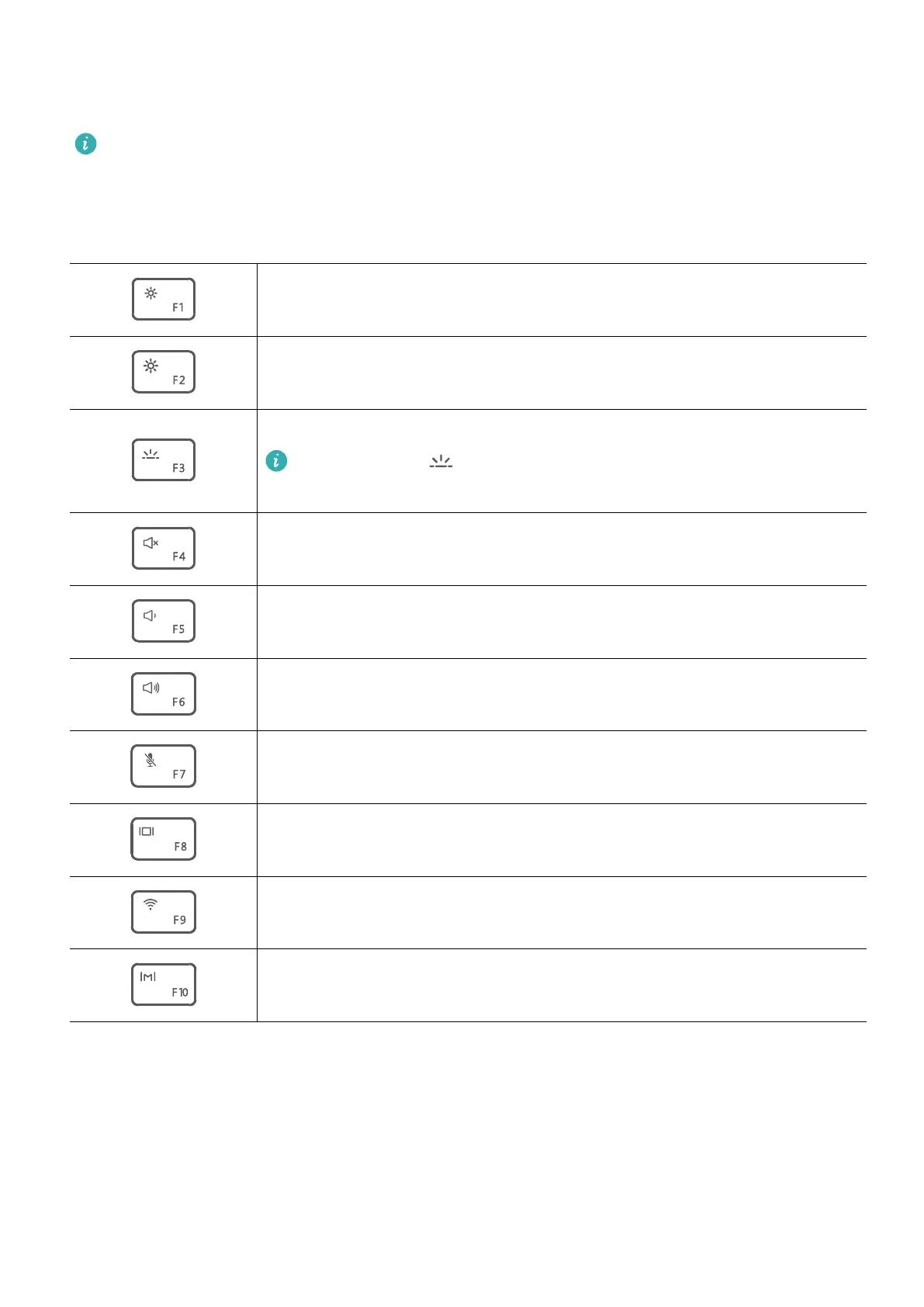
The F keys, such as F1 and F2, are used as shortcut keys (hotkeys) by default to allow you to
easily perform common actions.
Decrease screen brightness.
Increase screen brightness.
Enable, disable, or adjust the brightness of the keyboard backlight.
If there is no icon on the key, the keyboard does not have a
backlight.
Mute or unmute.
Decrease the volume.
Increase the volume.
Enable or disable the microphone.
Switch projection mode.
Enable or disable Wi-Fi.
Open HUAWEI PC Manager.
Switching between shortcut and function key modes
In function key mode, the F keys have dierent functions depending on the software that is
running.
To use the F keys as function keys, you can:
• Press the Fn key and the indicator will light up. The F keys will then work as function keys.
To return to shortcut key (hotkey) mode, press the Fn key then the indicator will turn o.
4














 To Next Page