Touchpad
The touchpad provides similar functionality to a mouse and is a convenient way to control
the computer.
Not all gestures are available in all apps.
Common touchpad gestures
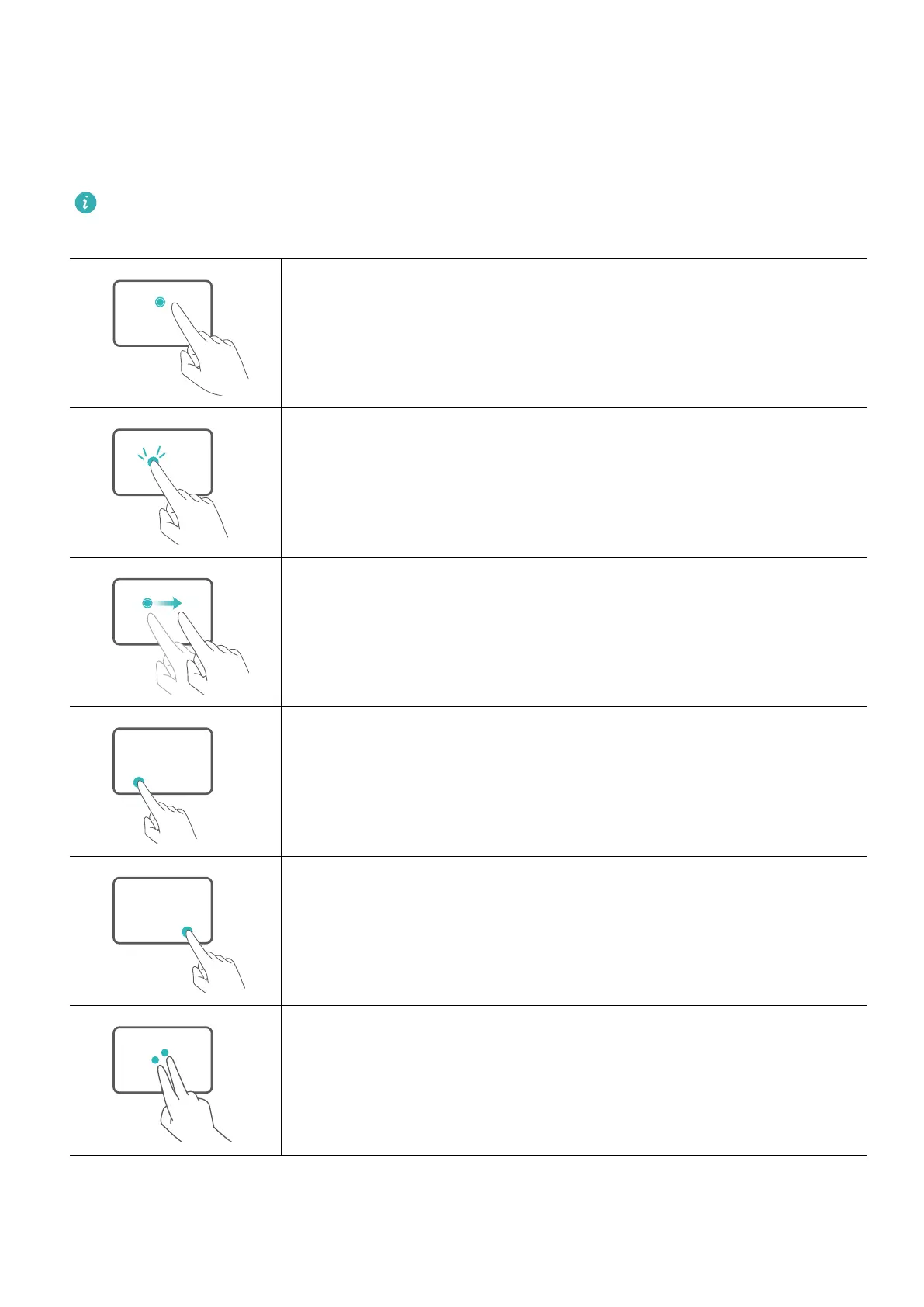
Tap with one nger: Left-click.
Tap twice with one nger: Double-click.
Slide with one nger: Move the cursor.
Press the left touchpad button: Left-click.
Press the right touchpad button: Right-click.
Tap with two ngers: Right-click.
6



 To Next Page