9
2. Connect your MatePen to a 5 V charger using the micro USB cable.
3. Once charging is complete, place the cap back onto the stylus by
aligning the laser button with the buttons on the stylus body.
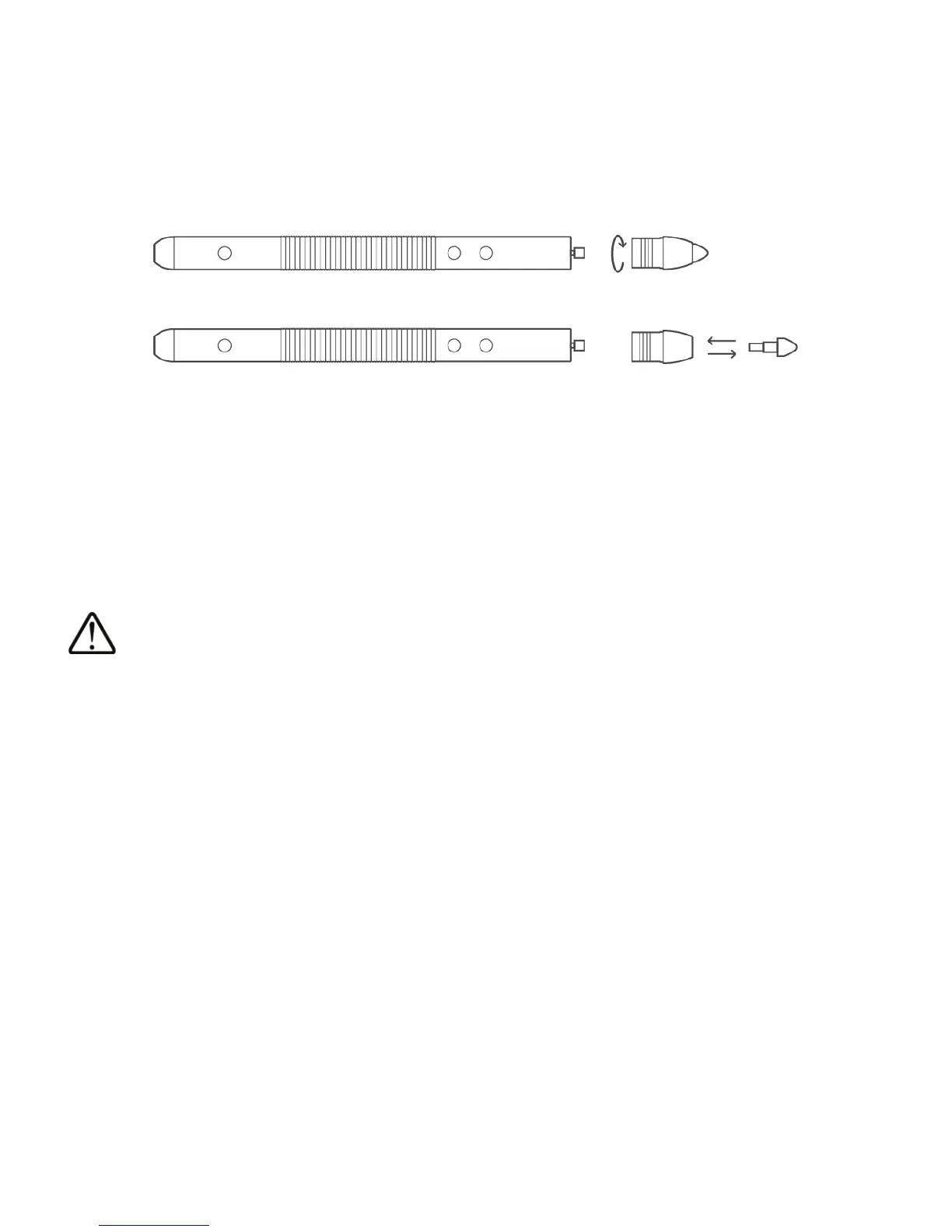
Changing the tip
1. Unscrew the base in a clockwise direction.
2. Remove the tip.
3. Insert the new tip into the base.
4. Turn the base counterclockwise to screw it back onto the stylus.
The MatePen contains delicate components. Always follow the instructions in this
guide when charging the MatePen or changing the tip. Do not use excessive force
when removing components.
When changing the tip, keep it in your hand to avoid losing it.
The stylus components (such as the tip) are a choking hazard and should be kept
out of the reach of children.








 To Next Page