8
In certain apps, such as OneNote, hold down the Right-click
button and draw a circle on the screen to select text or
objects.
*Press once to go to the next slide in a Microsoft PowerPoint
presentation or scroll down in a document or web page.
*Press twice to launch OneNote.
In OneNote, hold down the Erase button and swipe on the
screen to delete text or objects.
*Press once to go to the previous slide in a Microsoft
PowerPoint presentation or scroll up in a document or web
*Press twice to take a screenshot.
You need to pair the MatePen with your MateBook to use the features marked with
*.
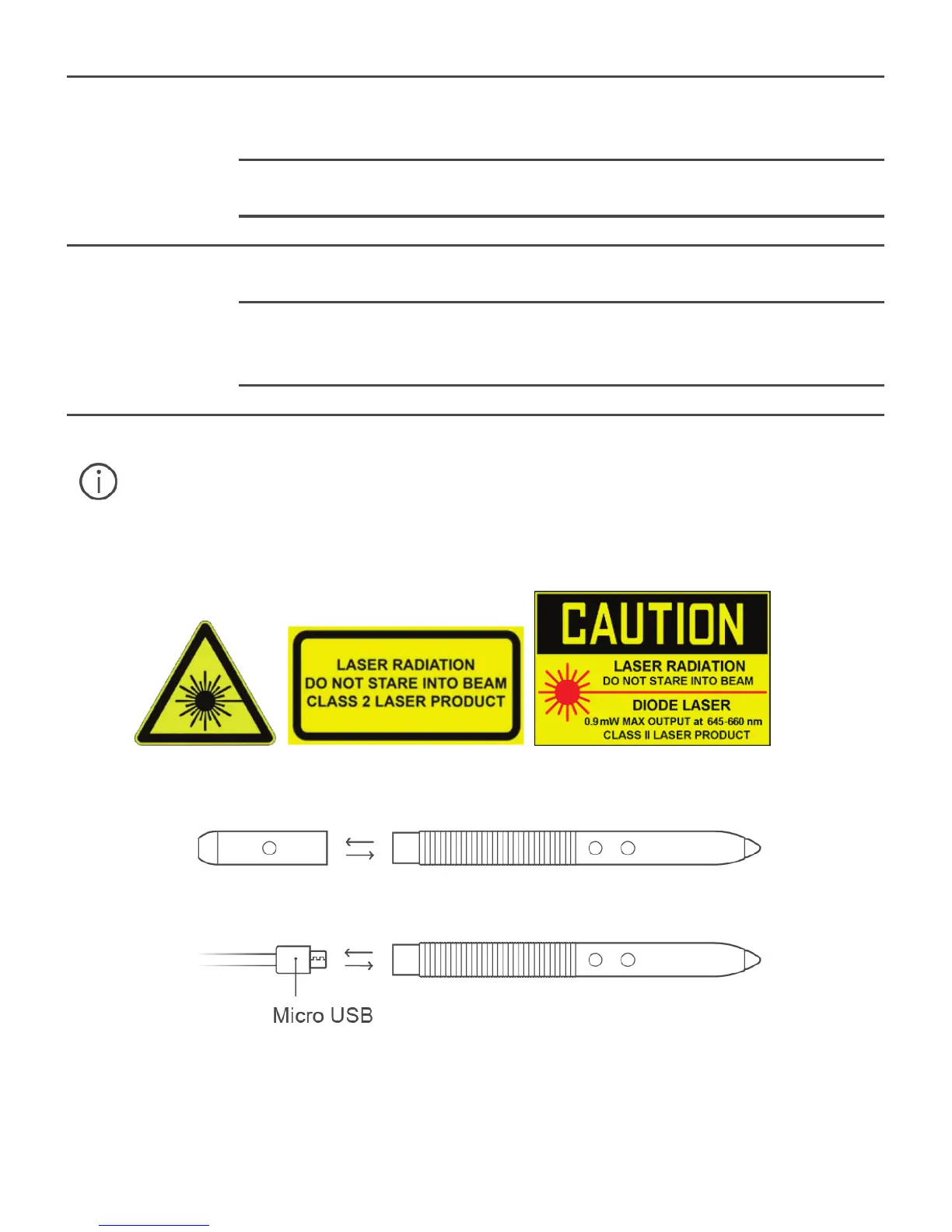
Lasers can cause retinal damage. Never shine the laser pointer into anyone's
eyes.
Charging the MatePen
1. Pull the cap off the stylus.











 To Next Page