7
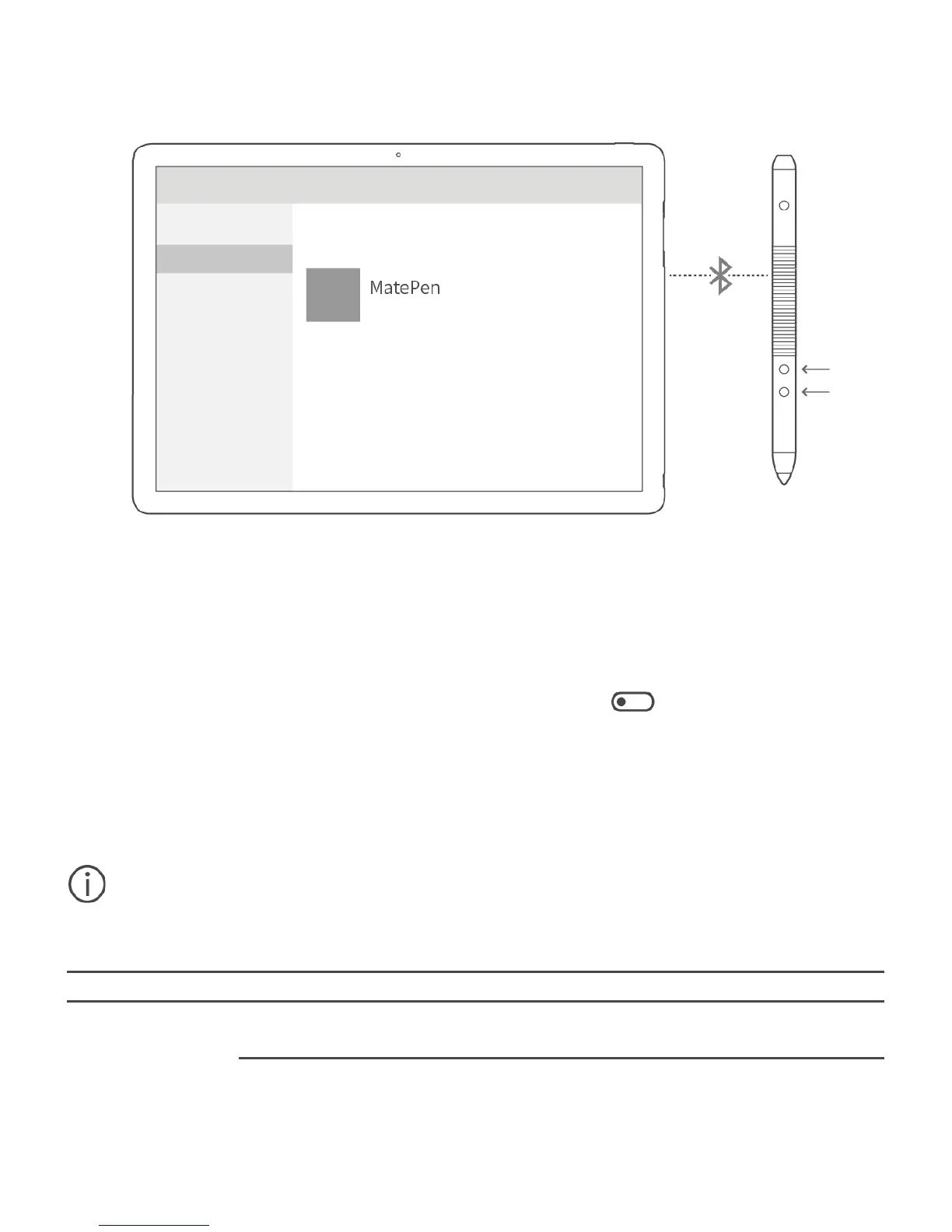
Pairing the MatePen with your MateBook
Pair the MatePen with your MateBook to use the MatePen as a wireless presenter.
1. Swipe left from the right edge of the screen to open ACTION CENTER.
Touch All settings.
2. Touch Devices > Bluetooth and turn on the switch to enable
Bluetooth.
3. Hold down the Right-click and Erase buttons on the MatePen until the
LED indicator flashes.
4. On your MateBook, select MatePen and touch Pair.
You do not need to pair the MatePen with your MateBook to use the stylus features
(write, draw, and other touch-sensitive features).
Buttons






 To Next Page