EasyManua.ls Logo

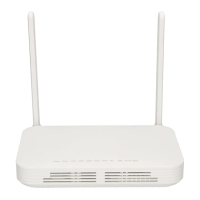
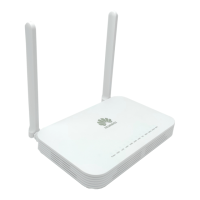
Huawei OptiXstar EG8010Hv6 - User Manual

Huawei OptiXstar EG8010Hv6
12 pages
Print Icon
To Next Page IconTo Next Page
Loading...
Huawei OptiXstar EG8010Hv6
Quick Start for QR code
Issue 01
Date 2020-11-12
HUAWEI TECHNOLOGIES CO., LTD.
Question and Answer IconNeed help?

Do you have a question about the Huawei OptiXstar EG8010Hv6 and is the answer not in the manual?

Summary

Placing the Device

Mounting an ONT on the Desk

The figure shows an ONT horizontally placed on a desk.

Mounting an ONT onto a Wall

Instructions for mounting the ONT onto a wall using screws and expansion bolts.

Connecting Cables

Indicator Description

Technical Specifications

FAQs

Summary

Placing the Device

Mounting an ONT on the Desk

The figure shows an ONT horizontally placed on a desk.

Mounting an ONT onto a Wall

Instructions for mounting the ONT onto a wall using screws and expansion bolts.

Connecting Cables

Indicator Description

Technical Specifications

FAQs

Huawei OptiXstar EG8010Hv6 Specifications

General IconGeneral
ModelEG8010Hv6
Operating Humidity5% to 95% (non-condensing)
Product TypeOptical Network Terminal
Wavelength1310 nm / 1490 nm
Operating Temperature–5°C to +45°C
Storage Temperature–40°C to +70°C
Ports1xGE, 1xPOTS, 1xUSB

Related product manuals