EasyManua.ls Logo

Huawei OptiXstar EG8147X6 - User Manual

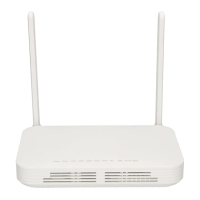
Huawei OptiXstar EG8147X6
17 pages
Print Icon
To Next Page IconTo Next Page
Loading...
Huawei OptiXstar EG8147X6
Quick Start
Issue 01
Date 2021-12-20
HUAWEI TECHNOLOGIES CO., LTD.
Question and Answer IconNeed help?

Do you have a question about the Huawei OptiXstar EG8147X6 and is the answer not in the manual?

Summary

Placing the Device

Mounting an ONT on the desk

Instructions for horizontally placing the ONT on a desk, detailing ventilation and positioning advice.

Mounting an ONT onto the wall

Guide for wall-mounting the ONT, covering marking positions, drilling, and securing the device with screws.

Connecting Cables

Indicator Description

Technical Specifications

FAQs

Summary

Placing the Device

Mounting an ONT on the desk

Instructions for horizontally placing the ONT on a desk, detailing ventilation and positioning advice.

Mounting an ONT onto the wall

Guide for wall-mounting the ONT, covering marking positions, drilling, and securing the device with screws.

Connecting Cables

Indicator Description

Technical Specifications

FAQs

Huawei OptiXstar EG8147X6 Specifications

General IconGeneral
CategoryNetwork Router
Antenna Gain5 dBi
Power Supply12 V DC, 1.5 A
Operating Temperature0°C to 40°C
Operating Humidity5% to 95% (non-condensing)
Device TypeOptical Network Terminal
Ports4 x GE ports, 1 x POTS port, 1 x USB port
Wi-FiWi-Fi 6
AntennasExternal antennas
WAN InterfaceGPON
Weight0.5 kg

Related product manuals