10
Update the PT500 Firmware
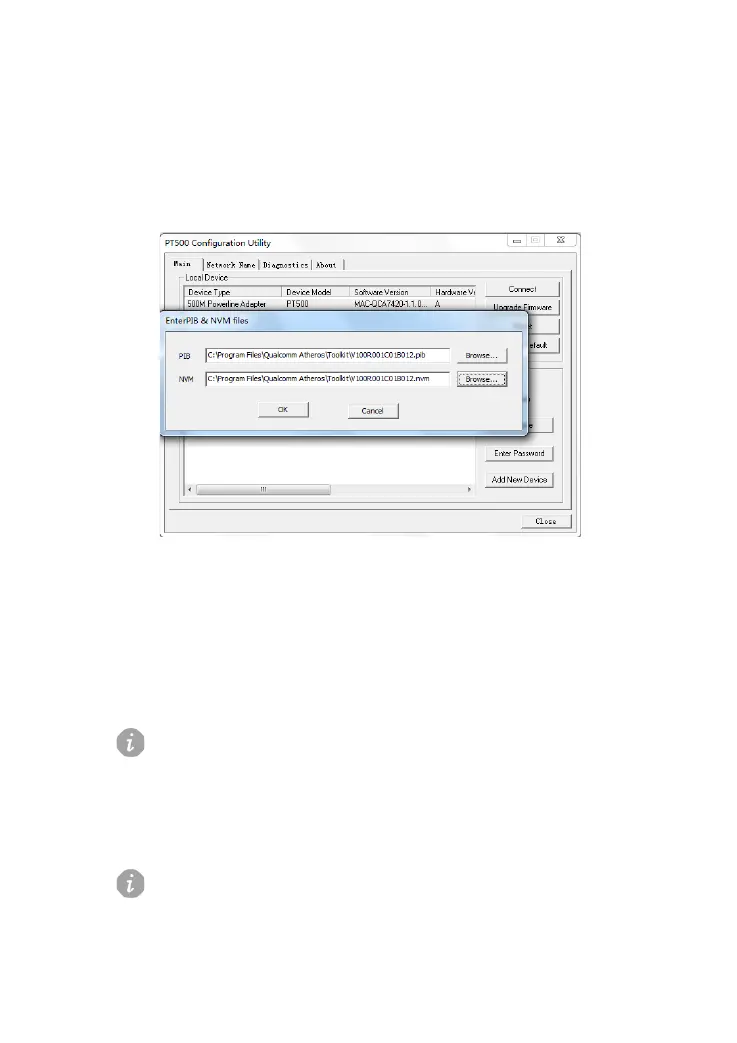
1) On the Main tab page, click Upgrade Firmware.
The Enter PIB & NVM files dialog box is displayed, as shown in Figure 3-5.
Figure 3-5 Enter PIB & NVM files dialog box
2) In the Enter PIB & NVM files dialog box, click Browse to specify the path
for storing the PIB and N VM.
3) Click OK.
The files are loaded.
You can download the latest update files from the technical support Web site:
http://www.huaweidevice.com.
Restoring Default Settings
Be careful all self-defined data will be lost when you use this function.



 To Next Page